AUADRI Installation Guide
This document aims at explaining the installation procedures required to install this package successfully in Temenos Transact. The scope of the document is to cover the release mechanism of the package.
System Requirements
The following are the pre-requisites for installing this package.
- Relevant Temenos Transact environment.
- Relevant /Address Interface jar.
Contents of the Package
The pack contains the following:
- AddrInteface Jar.
Steps for Installing the Package
Follow the steps below to install the package.
 Pre-Installation Steps
This section covers the pre-installation steps for Cloud and On-Prem deployments.
On-Prem Pre-Deployment Steps
- Once the area is ready, take the zip file from the stream.
- On unzip of this compressed folder from stream.
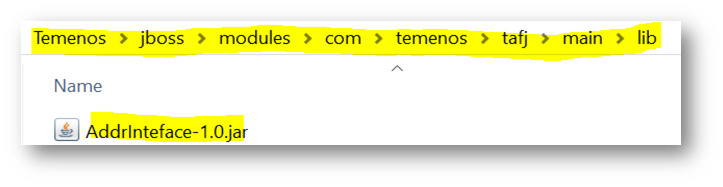
- Take the AddrInteface jar file and place it in below location and make an entry for that jar in corresponding module.xml location.
…\Temenos\jboss\modules\com\temenos\tafj\main\lib

- And inside AddrInteface jar the log location can be modified in key value –“log4j.appender.tpm.File” with desired location in log4j.properties file.
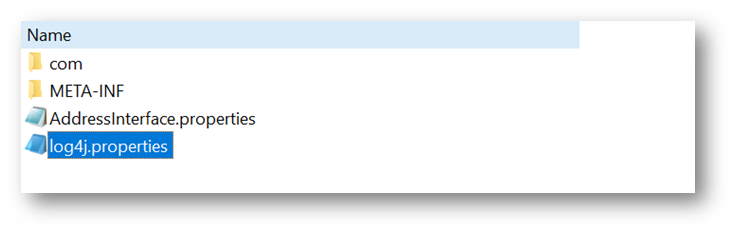

- Start jBoss and test.
- AddrInterface APIs url information get it from AddressInterface.properties file in the AddrInteface-1.0.jar files.
- AddrInteface-1.0.jar files
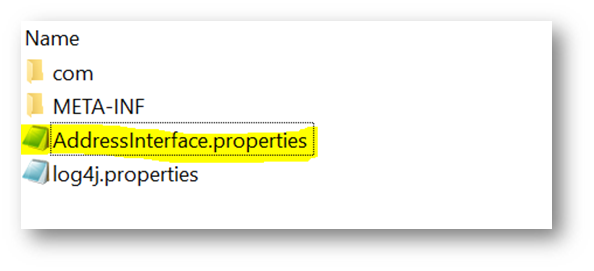
- API URLs in the AddressInterface.properties file
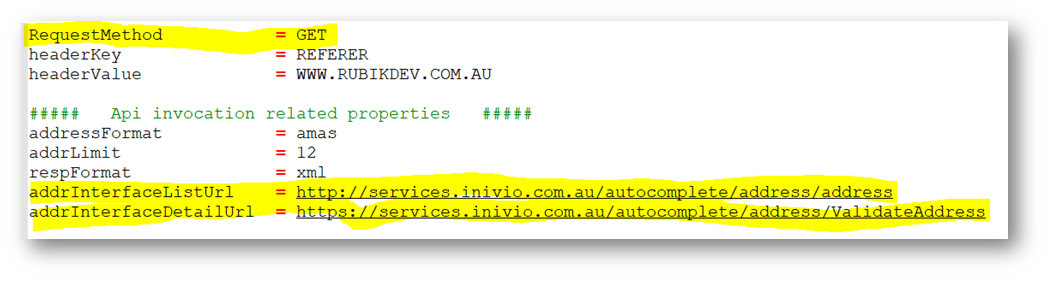
- AddrInteface-1.0.jar files
Cloud Environment Pre-Deployment Steps
If TRS_JAVA_PROPERTIES is defined in Cloud environmental variables, then the path from that variable will be considered for referring to the property file.
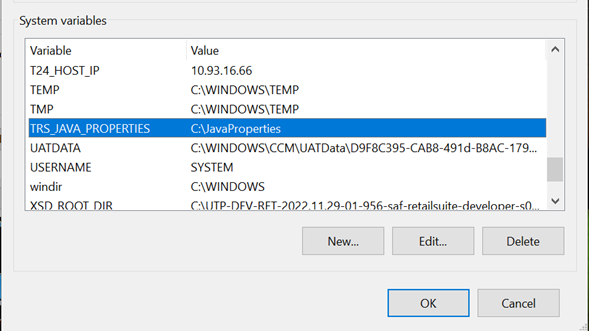
When TRS_JAVA_PROPERTIES variable is not set, property file from class path is considered.
In this topic