Account Aggregation with Notification Delivery Feature
The Notification Delivery feature in Account Aggregation requires list of supporting services from the following Microservices.
Prerequisite
- Event Store Microservice should be up and running. All the microservices we are deploying should use the kafka running in Event store Microservice.
- Generic Configuration Micro service has to be up and running. Generic Configuration Policy file has to be available for the event types being generated. It can be created using the POST APIs.
- Please refer the link for Generic config policy file creation - Notification delivery Embedded with Account Aggregation - Configuration.
- Adapter Service has to be up and running. Generic Config MS base path should be configured in Adapter service.
- Arrangement Microservice has to be up and running. It should be pointed to kafka running in Event store Microservice.
- Holdings Microservice has to be up and running. It should be pointed to kafka running in Event store Microservice.
Notification Delivery within Account aggregation Microservice has been enabled in the following deployment stacks from 202301 onwards. The following deployment configurations has to be done along with the existing configuration provided for each deployment stack.
This section only discusses the configuration required for notification feature only.
K8
In K8s , the event flow will be carried out by inbox-outbox processor. Following are the required configurations to be made:
| Microservice | File Name | Variable Name | Variable Value |
|---|---|---|---|
| Event Store | kafka.yaml | KAFKA_AUTO_CREATE_TOPICS_ENABLE | TRUE |
| Holdings | Start script | temn.msf.stream.kafka.bootstrap.servers | <eventstore-host-ip>:22004 |
| Arrangement | Start script | temn.msf.stream.kafka.bootstrap.servers | <eventstore-host-ip>:22004 |
| Account Aggregation | Start script | temn.msf.stream.kafka.bootstrap.servers | <eventstore-host-ip>:22004 |
| Generic Configuration | Start script | temn.msf.stream.kafka.bootstrap.servers | <eventstore-host-ip>:22004 |
| Adapter Service | Start script | TEMN_MSF_ADAPTER_CONFIG_CLASSPATH | FALSE |
| temn.msf.stream.kafka.bootstrap.servers | <eventstore-host-ip>:22004 | ||
| temn.config.service.base.path | http://<generic_config-host-ip>:7006/ms-genericconfig-api/api/v2.0.0/ | ||
| temn.msf.scheduler.config | TRUE | ||
| temn.msf.ingest.source.stream | ms-accountaggregate-event-topic |
Once the configuration is complete, deploy the Account aggregation pack.
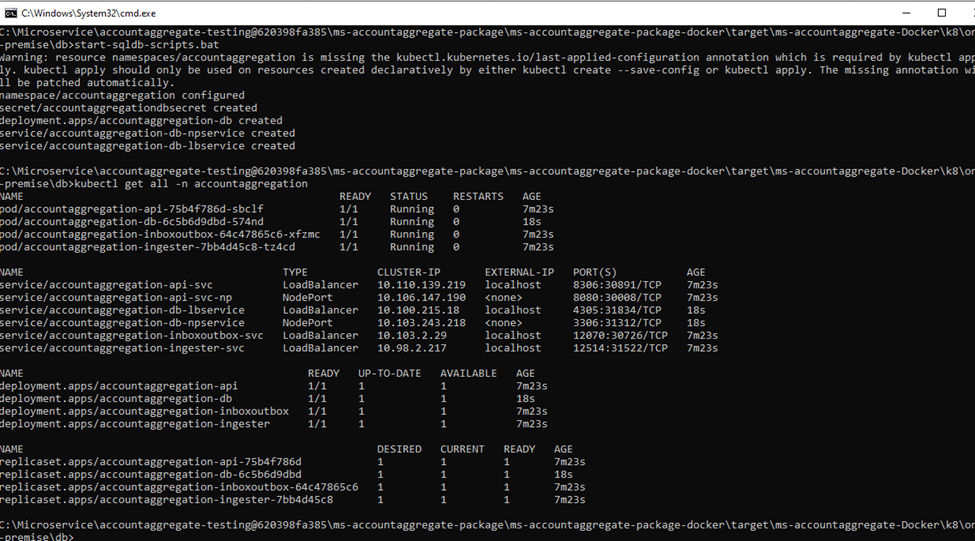
After successful deployment hit the API - GetAccountWithTransactions.

We can see the events are sent to outbox topic.
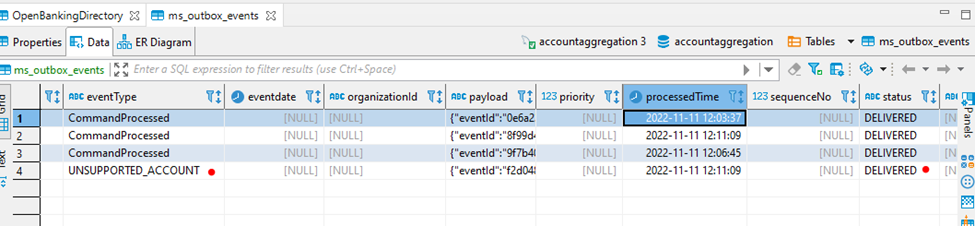
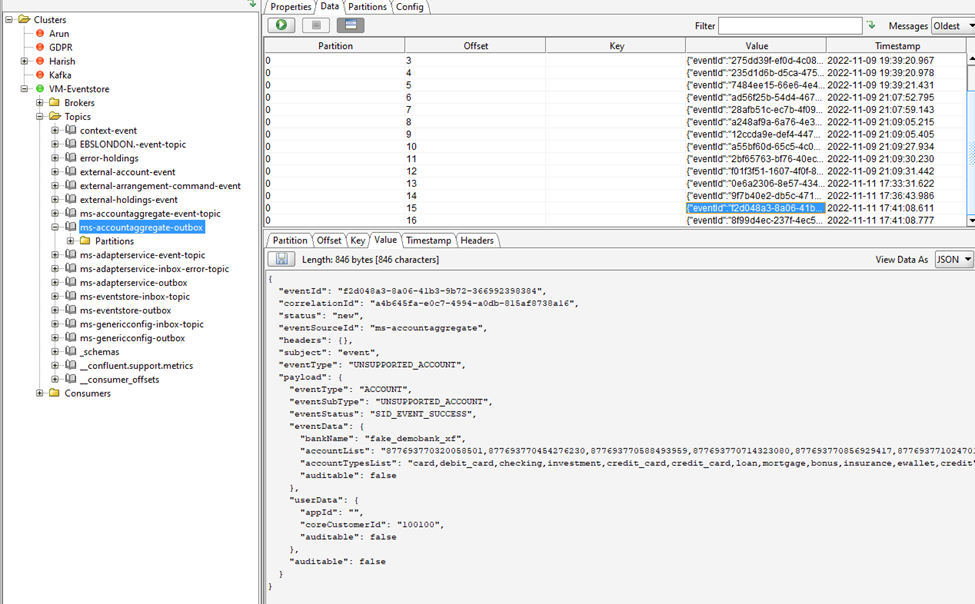
From outbox topic, the event is pushed to the event store inbox topic.
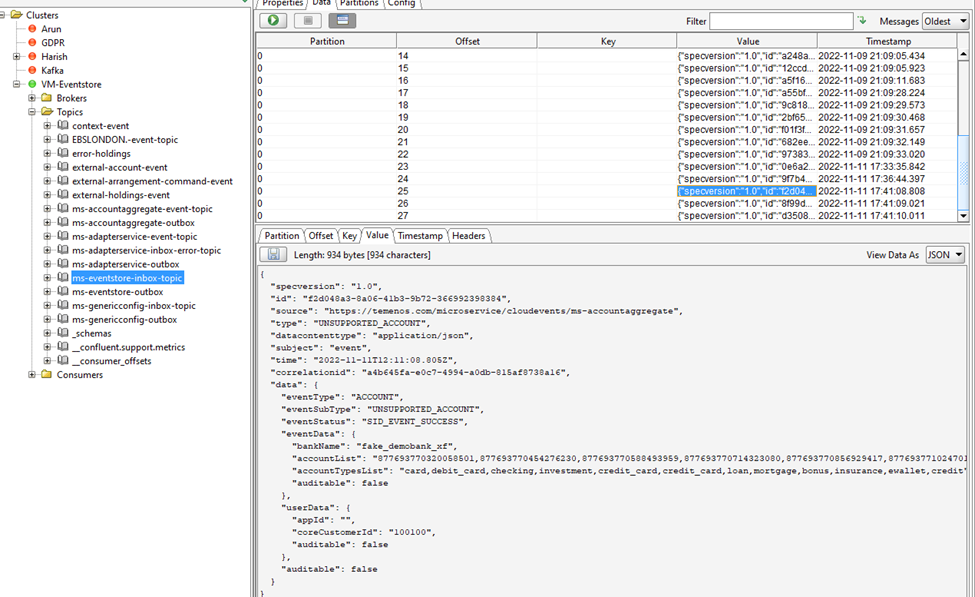
Then the eventstore MS process the events and push it to the ms-accountaggregate-event-topic, which is listened by adapter MS.
ms-accountaggregate-event-topic
{
  "eventId": "12625f47-0662-4703-8759-309b48ceaf98",
  "correlationId": "8dedae79-1a59-4e6f-af1e-7bc56a8dfd41",
  "status": "new",
  "eventSourceId": "ms-accountaggregate",
  "headers": {},
  "subject": "event",
  "eventType": "UNSUPPORTED_ACCOUNT",
  "payload": {
    "eventType": "ACCOUNT",
    "eventSubType": "UNSUPPORTED_ACCOUNT",
    "eventStatus": "SID_EVENT_SUCCESS",
    "eventData": {
      "bankName": "fake_demobank_xf",
      "accountList": "840714398354905832,840714398489123561,840714398640118506,840714398765947627,840714398900165356,840714399025994477,840714399235709679,840714399336372976,840714399478979313,840714399697083122,840714399839689459,840714399957129972",
      "accountTypesList": "card,debit_card,checking,investment,credit_card,credit_card,loan,mortgage,bonus,insurance,ewallet,credit"
    },
    "userData": {
      "externalPhone": "+91-9999999999",
      "externalEmail": "kony@temenos.com",
      "appId": "RETAIL_AND_BUSINESS_BANKING",
      "coreCustomerId": "100221"
    }
  }
}
Azure
In Azure, the following properties has to the set in the function app;
| Name | Value |
|---|---|
| temn_msf_stream_ms_data_transaction_enabled | true |
| temn_msf_outbox_direct_delivery_enabled | true |
| temn_msf_kinesis_flow | true |
| tem_msf_disableInbox | false |
After successful deployment of the accountaggregation MS, hit the API- GetAccountWithTransactions.
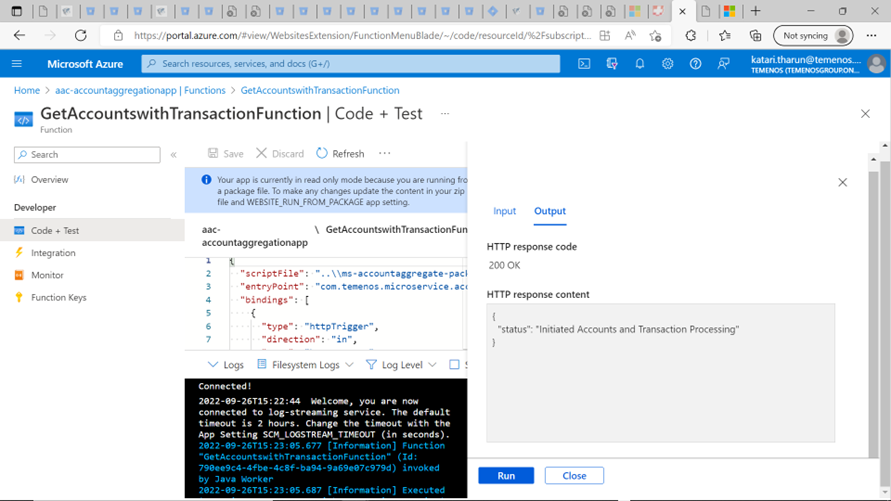
Events are pushed to the respective topics and notification delivery process delivers to fabric alerts engine.
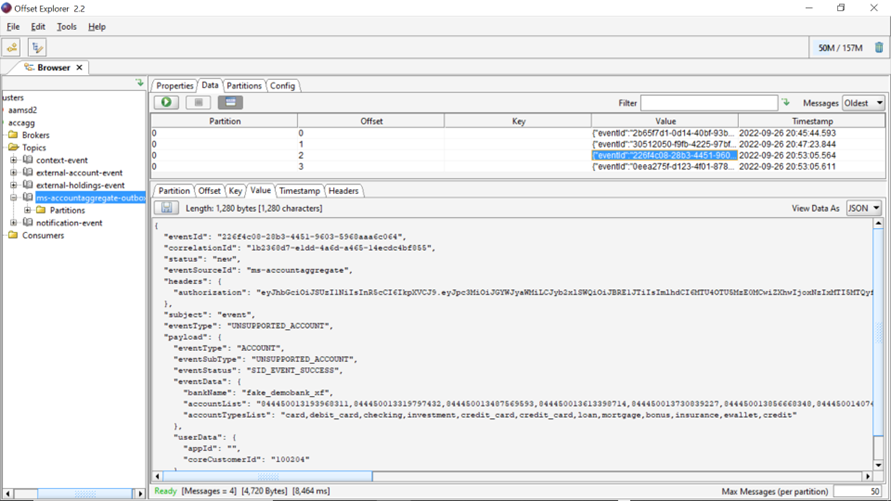
Unsupported Account Notification event
{
  "specversion": "1.0",
  "id": "32f6d6f4-fa92-465d-a533-a83aaff9dbff",
  "source": "https://temenos.com/microservice/cloudevents/ms-accountaggregate",
  "type": "UNSUPPORTED_ACCOUNT",
  "datacontenttype": "application/json",
  "subject": "event",
  "time": "2022-09-27T07:30:49.050Z",
  "extension-mscontext": "{\"authorization\":\"eyJhbGciOiJSUzI1NiIsInR5cCI6IkpXVCJ9.eyJpc3MiOiJGYWJyaWMiLCJyb2xlSWQiOiJBRE1JTiIsImlhdCI6MTU4OTU5MzE0MCwiZXhwIjoxNzIxMTI5MTQyfQ.RZMOunoe2pGxYRw40h-SeDaD82_a6mV5RrzYriqDAQzEKCZ3D-VewiNfwxxIdgU2LfVtujhNqDe_ZgK9_wmc6zd9RDfzNPWzrIytDPlWKyHzmclnOLNuv-p222Tm1yesFHPz1Z36eYf7JxD_aT3Nc7FFTvZXWySurJfAA31qWM1A3vaXlV7jCYri_ZnxqD66n2hLbrNN1IMCSK91mtGmZ3kOXVsmUZOPtSQF6eKAJk6mjmEkZRkMXjohHSY4Dm4aOTLCqUOVmflMBA1gUK3H8CjqIwzn4FJyOGZYM4wRuA2T9oVaPjiu1_uD4spWoPtiHqxNw0ciVqCZxcXh19gsBQ\"}",
  "correlationid": "86f8c5f0-c03b-4e3f-8f47-f470f7d71399",
  "data": {
    "eventType": "ACCOUNT",
    "eventSubType": "UNSUPPORTED_ACCOUNT",
    "eventStatus": "SID_EVENT_SUCCESS",
    "eventData": {
      "bankName": "fake_demobank_xf",
      "accountList": "844450013193968311,844450013319797432,844450013487569593,844450013613398714,844450013730839227,844450013856668348,844450014074772158,844450014167046847,844450014276098752,844450014376762049,844450014502591170,844450014603254467",
      "accountTypesList": "card,debit_card,checking,investment,credit_card,credit_card,loan,mortgage,bonus,insurance,ewallet,credit"
    },
    "userData": {
      "appId": "",
      "coreCustomerId": "100204"
    }
  }
}
AWS
In Kinesis flow events are delivered directly to the ms-eventstore-inbox-topic. This is achieved by setting the following property in API and Ingester lambda functions.
Following properties has to be configured in AWS stack to enable the notification delivery feature.
| Property Name | Value |
|---|---|
| temn_msf_outbox_direct_delivery_enabled | true |
| tem_msf_disableInbox | false |
| temn_msf_kinesis_flow | true |
| temn_msf_stream_ms_data_transaction_enabled | true |
- Set the above properties in start script.
- Deploy the pack.
- Properties are set in Lambda functions as given below. Verify the properties are available in your deployment.
- Once the pack is deployed hit the API GetAccountWithTransactions. It will load the account, balance and transaction details from SaltEdge.

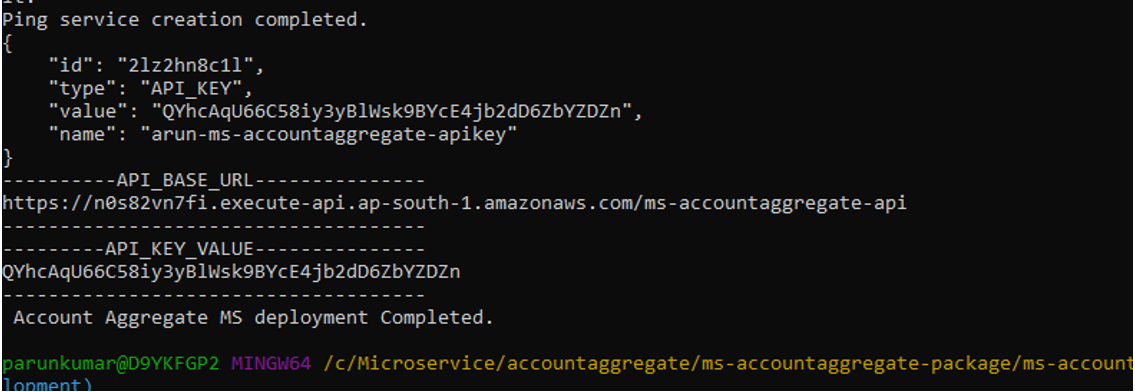
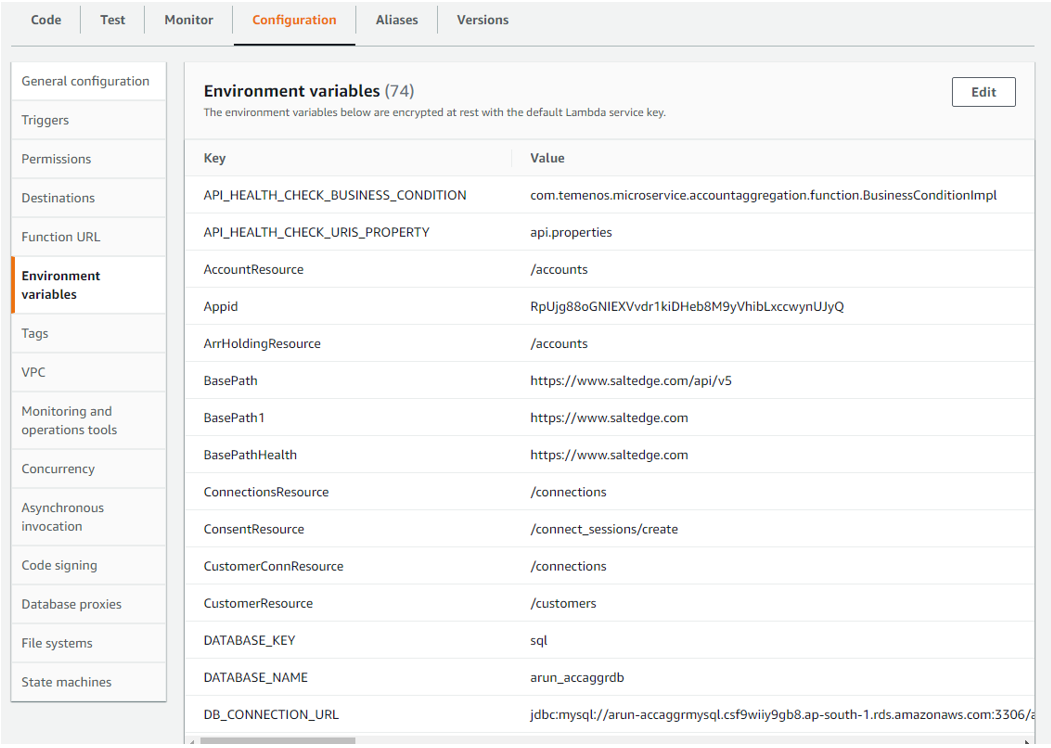
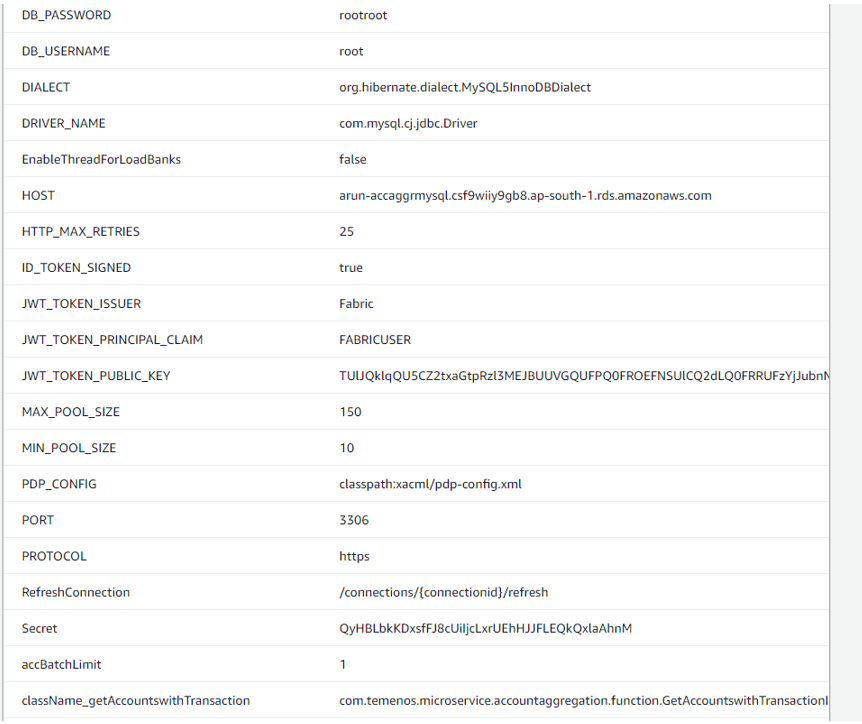
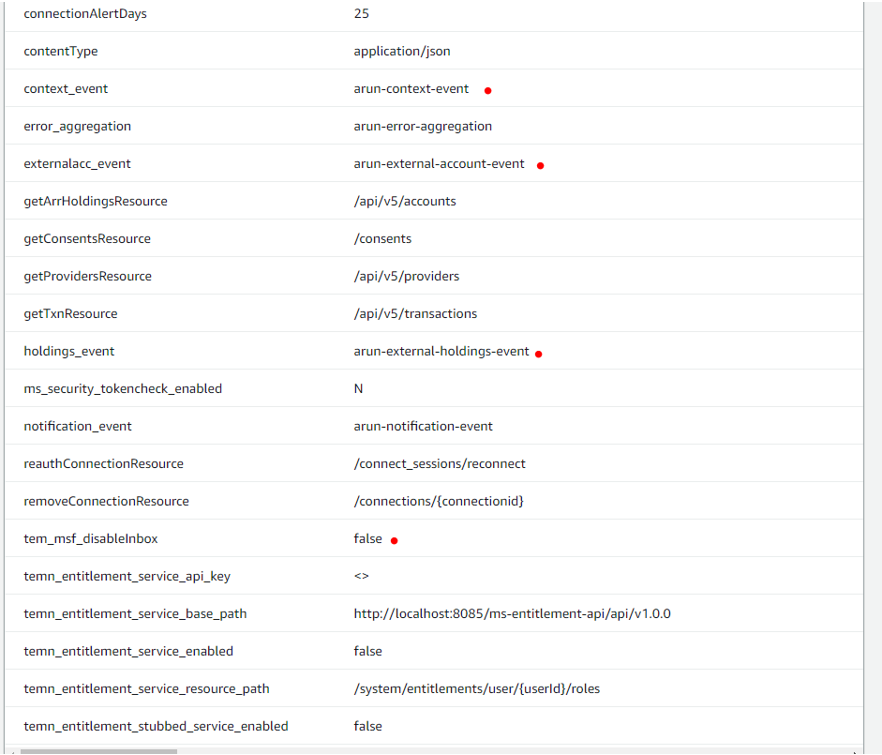
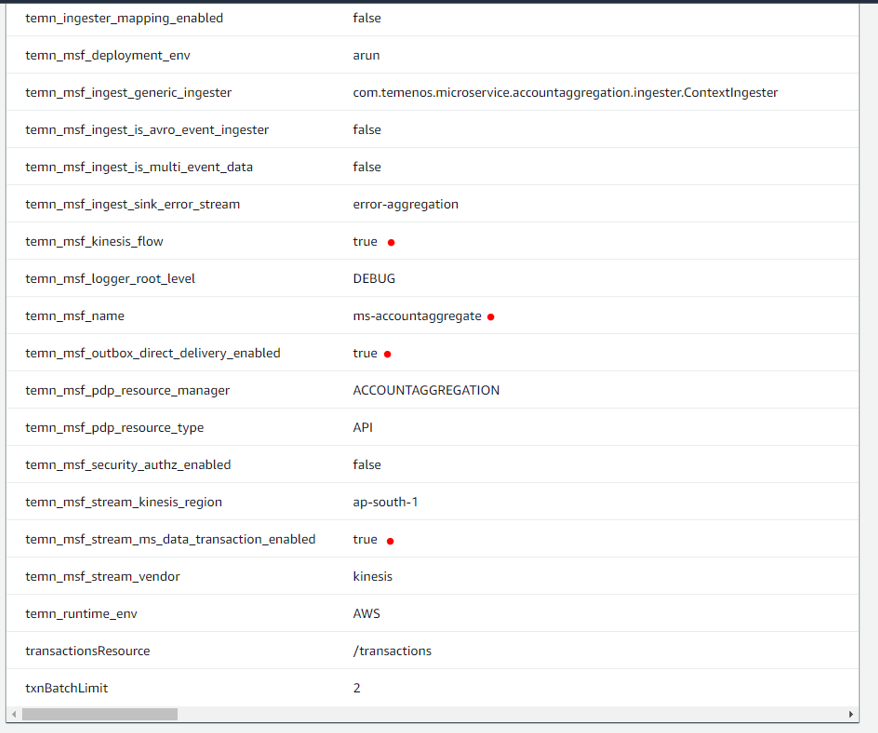
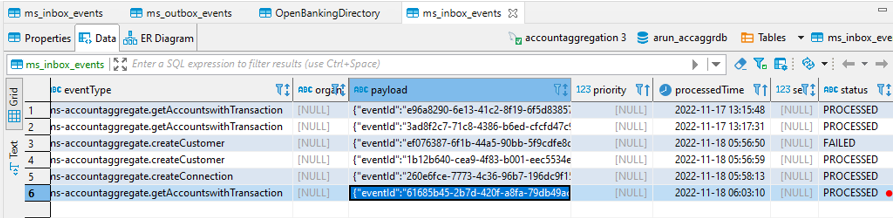
Message will be directly delivered to ms-eventstore-inbox topic.
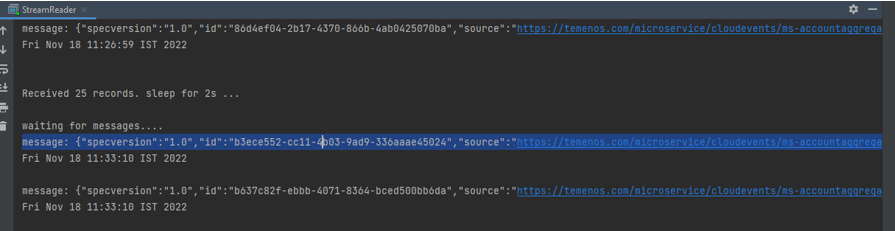
Events are pushed to context event stream from AMS and HMS.
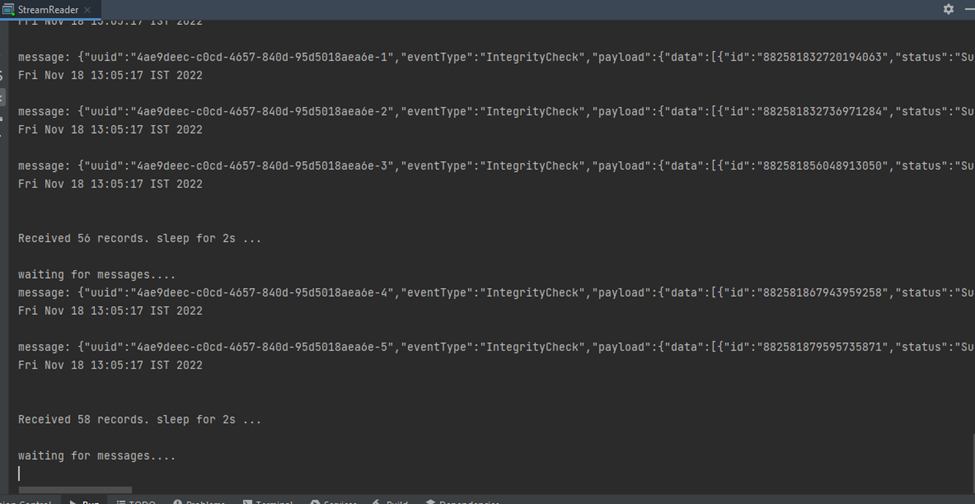
Events are processed from context-event stream by Context Ingester and streamed to "ms-eventstore-inbox-topic".
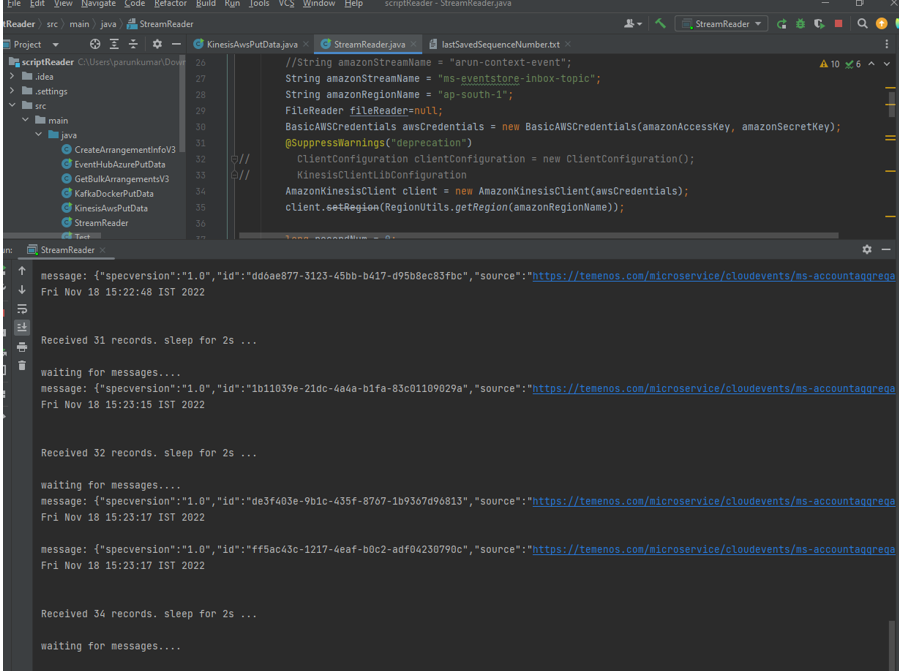
Flow of Events from Account Aggregation to Fabric:
- Hit GetAccountsWithTransactions API. Accounts and transaction information for the customer will be loaded from the saltedge. After processing the information events will be raised to external-account-event topic and external-holdings-events.
- Arrangements Microservice will be listening to the external-account-event topic. The generic Ingester component in Arrangement Microservice will process the event and save the information in its Database. On completion, it will raise an acknowledgment event to context-event topic.
- Holdings Microservice will be listening to the external-holdings-event topic. The generic Ingester component in Holdings Microservice will process the event and save the information in its database. On completion, it will raise an acknowledgment event to context-event topic.
- The Context Ingester in Account aggregation MS will process the events raised from HMS and AMS. Only the events with "source": "HoldingMS" or "source": "ArrangementMS" will be processed and taken into notification generation process. The notification builder class will raise a notification event based on the type of event. It will be pushed to ms-accountaggregate-outbox topic. It will be processed by outbox processor and the events are pushed to ms-eventstore-inbox-topic.
- The business events in ms-eventstore-inbox-topic will be processed and streamed to a separate topic named <ms_name>-event-topic. Eg: ms-accountaggregate-event-topic.
- Adapter service is configured to listen to the above-mentioned event-topic. It will process the events and get the respective configuration policy file from Generic Config MS through an API call. The type attribute in the event holds the policy file’s name stored in the generic config database. Eg : "type": "TRANSACTION_LOAD".
In this topic