AMS - AKS
Azure Kubernetes Service (AKS) Deployment for Arrangements
- Azure Kubernetes Service (AKS) deployment is available from 202307 release.
- Azure Kubernetes Service (AKS) is a managed Kubernetes service that lets you quickly deploy and manage clusters.
- This document will help to provide steps and configurations to deploy Arrangement MS inside the Azure AKS environment.
Pre-requisites
Before you proceed with deployment, kindly have the following installed in your system.
- An Azure account with an active subscription.
- Azure CLI, Helm should be installed and configured.
- Make sure the Azure subscription you use has these required resources: Storage, Compute, Networking, and container service.
- Kubernetes command-line tool kubectl.
Package Overview
- Download and unzip ms-arrangement-helm-sql-pack-xxxx.zip.
- The images are available in ms-arrangement-helm-sql-pack-xxxx\images folder.
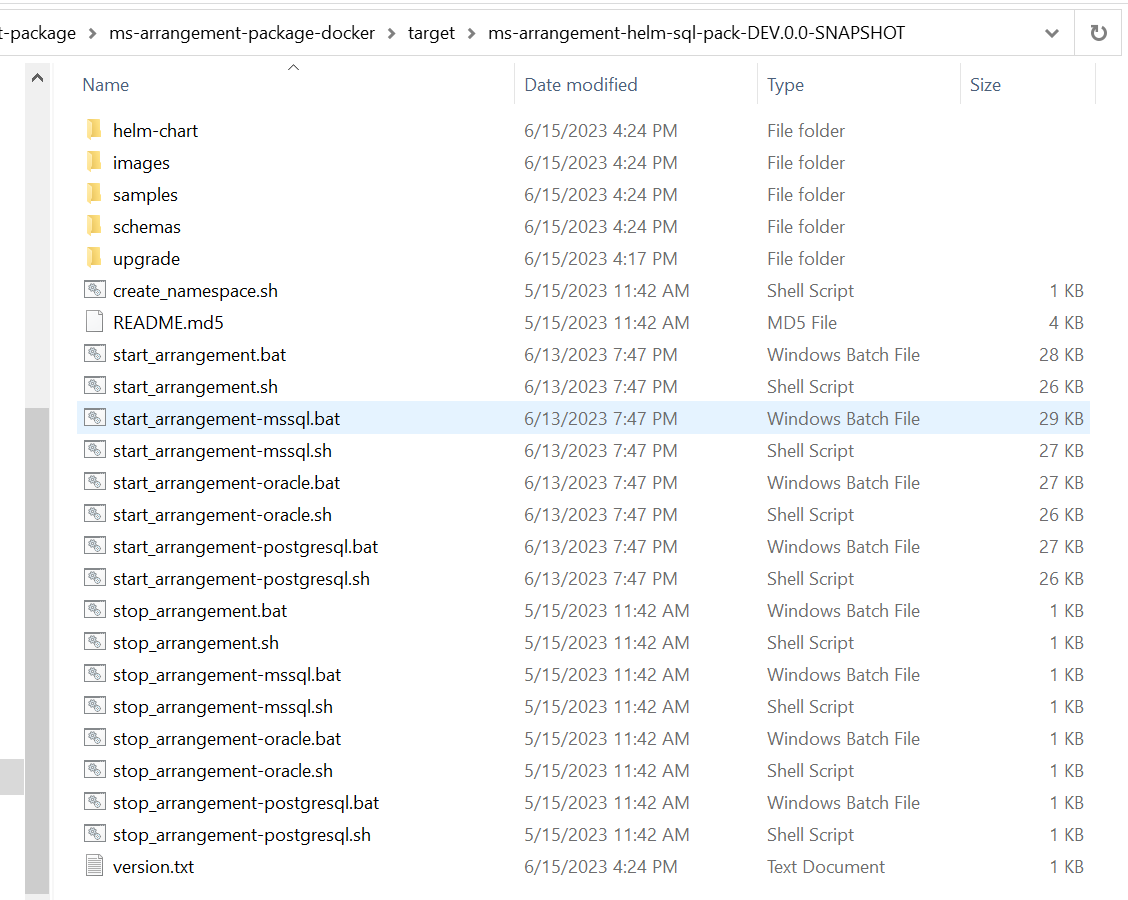
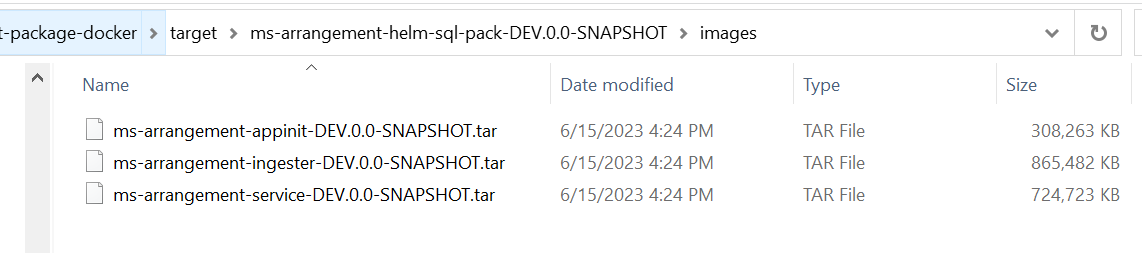
The steps to be executed for Azure AKS Deployment are as follows:
- Extract the ms-arrangement-helm-sql-pack-XXXX helm pack.
- Load the images from local to Docker Container.
- Create a Resource Group for your Azure Kubernetes Cluster.
- Configure the AKS Cluster.
- Create an Azure Container Registry (ACR) instance and upload the images to the ACR.
- Create an Event hub to maintain Kafka Connection.
- Configure kubectl to connect to the AKS Cluster.
- Deploy the Consent MS using the helm pack scripts.
Pre-installation Steps
- Load the API and Ingester Images:
- Navigate to the ms-arrangement-helm-sql-pack-xxxx\images folder.
- The images will be available in .tar format.
- Use the docker load command to get the images.
- Eg: docker load --input ms-arrangement-service-DEV.0.0-SNAPSHOT.tar
- Load all the images present inside the folder.
-
Setting up the AKS and ACR:
- Navigate to the ms-arrangement-helm-sql-pack-xxxx\helm-chart\Azure-AKS\Setup folder.
- The available scripts are used for setting up the Azure Kubernetes Service (AKS) and creating the Container Registry for storing the images.
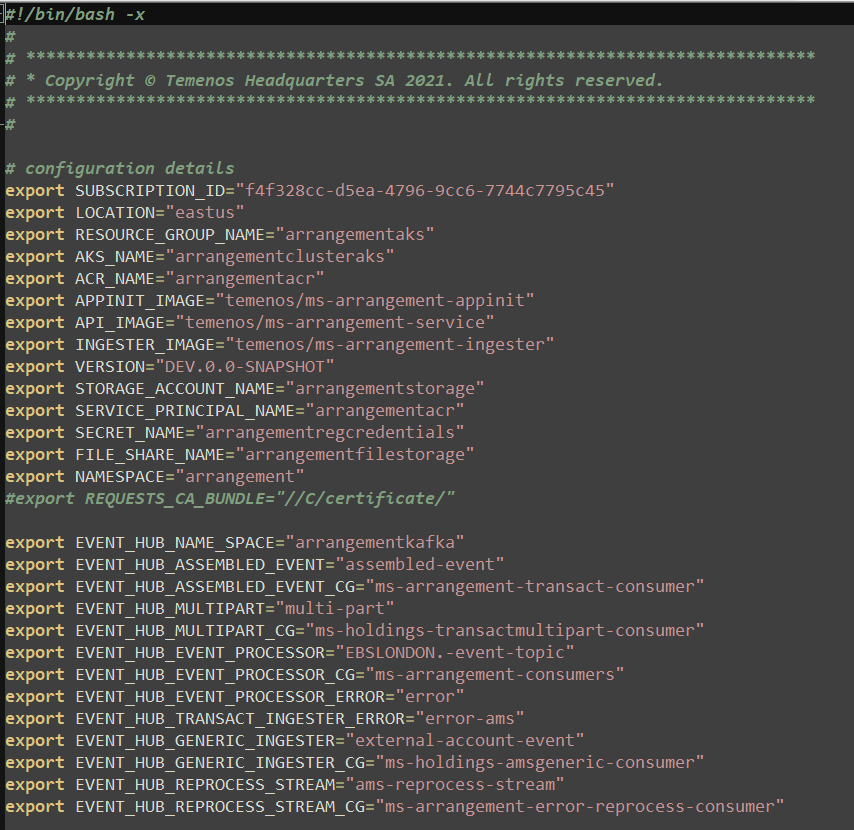
- Edit the env.sh file for configuring the environment variable to be used while configuring AKS.
- Execute the setup.sh file for initiating the setup for AKS and ACR.
-
Creation of Database:
MySQL Database
- Navigate to ms-arrangement-helm-sql-pack-xxxx\helm-chart\Azure-AKS\db\mysql folder.
- Execute arrangement-mysqldb.sh file to create the SQL Database in Azure Resource Group.

MSSQL Database
- Navigate to ms-arrangement-helm-sql-pack-xxxx\helm-chart\Azure-AKS\db\mssql folder.
- Execute arrangement-mssqldb.sh file to create the Azure SQL Database in Azure Resource Group.

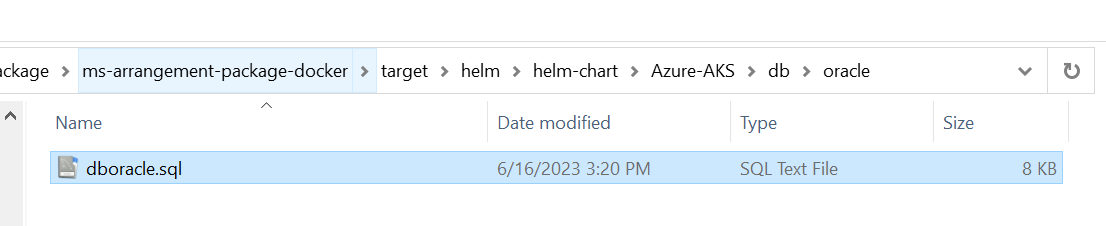
Oracle Database
- Create a Oracle DB server by following the steps.
- Execute the dboracle.sql script and create reference data.
MSSQL Database
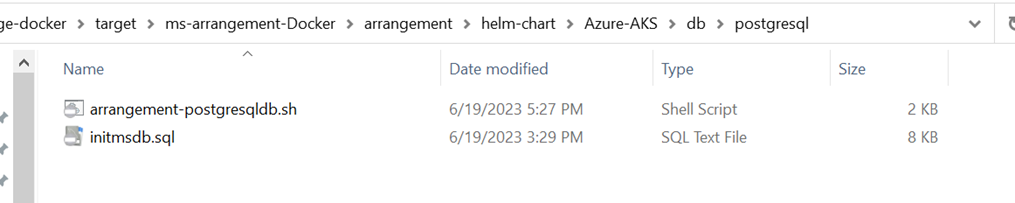
- Navigate to ms-arrangement-helm-sql-pack-xxxx\helm-chart\Azure-AKS\db\postgresql folder.
- Execute arrangement-postgresqldb.sh file to create the Azure SQL Database in Azure Resource Group.
Configurations
This section will cover the required configuration changes to be done for Azure AKS deployment.
env.sh file in Setup folder
- This File is available in the helm-chart\Azure-AKS\Setup
- This file contains variables that are referred to in other sh files. Common variables from this file will be referred to in other sh files.
- Default values are already available in this file. These are enough to create a resource group in Azure AKS.
- If you require to create a new resource group with a different name. Kindly follow the config changes below:
|
Export Variable |
Change |
|---|---|
|
SUBSCRIPTION_ID |
· By default, the Subscription id is available. If your user id is mapped in another subscription id with all the required access available, kindly update the id here. |
|
RESOURCE_GROUP_NAME |
· By default, the resource group name is maintained as arrangements. · A new name can be updated here from the default value. |
|
AKS_CLUSTER_NAME |
· By default, the aks cluster name is maintained as arrangementsakscluster. · A new name can be updated here from the default value. |
|
AKS_NAME |
· By default, the aks name is maintained as arrangementsakscluster. · A new name can be updated here from the default value. |
|
ACR_NAME |
· By default, the acr name is maintained as arrangementsacr. · A new name can be updated here from the default value. |
|
SERVICE_PRINCIPAL_NAME |
· By default, the service principal name is maintained as arrangementsacr. · A new name can be updated here from the default value. |
|
STORAGE_ACCOUNT_NAME |
· By default, the storage name is maintained as arrangements. |
|
EVENT_HUB_NAME_SPACE |
· By default, the event hub namespace is maintained as arrangementkafka. · A new name can be updated here from the default value. |
env.sh file from Azure-AKS folder
- This file will be available in helm-chart →Azure-AKS
- This file contains variables to deploy the Holdings MS into Kubernetes.
- The configuration to be updated/checked before running this script are:
|
Export Variable |
Change |
|---|---|
|
ACR_NAME |
· By default, the aks name is maintained as arrangementsacr. · A new name can be updated here from the default value. The ACR name should be the same name used in env.sh from the Setup folder. |
|
AKS_CLUSTER_NAME |
· By default, the aks cluster name is maintained as arrangemetsacrcluster. · A new name can be updated here from the default value. · The AKS cluster name should be the same name used in env.sh from the Setup folder. |
|
EVENT_HUB_TRANSACT_INGESTION |
· By default, the event hub namespace is maintained as arrangemtskafka. · A new name can be updated here from the default value.
|
|
EVENT_HUB_EVENT_PROCESSOR |
· By default, the event hub namespace is maintained as arrangemtskafka. · A new name can be updated here from the default value. · The Event hub namespace name should be the same name used in env.sh from the Setup folder.
|
|
EVENT_HUB_GENERIC_INGESTION |
· By default, the event hub namespace is maintained as arrangemtskafka. · A new name can be updated here from the default value. · The Event hub namespace name should be the same name used in env.sh from the Setup folder.
|
|
EVENT_HUB_AMS_GENERIC_INGESTION |
· By default, the event hub namespace is maintained as arrangemtskafka. · A new name can be updated here from the default value. · The Event hub namespace name should be the same name used in env.sh from the Setup folder. |
|
POSTGRESQL_CONNECTIONURL URL |
· By default, the Postgres URL is available. export POSTGRESQL_CONNECTIONURL=" jdbc:postgresql://hs-postgresqldb-service.postgresql.svc.cluster.local:4303/holdingsdb" · if any local/cloud database is connected, Kindly update the specific URL here |
|
POSTGRESQL_USERNAME |
username to connect to Postgres Database |
|
POSTGRESQL_PASSWORD |
password to connect to Postgres Database |
|
MONGODB_CONNECTIONSTR |
· By default, the sample MongDB URL is available. export MONGODB_CONNECTIONSTR=" mongodb://mongodb-0.mongodb-svc.mongodb.svc.cluster.local:27017,mongodb-1.mongodb-svc.mongodb.svc.cluster.local:27017,mongodb-2.mongodb-svc.mongodb.svc.cluster.local:27017" · if any local/cloud database is connected, Kindly update the specific URL here |
|
RESOURCE_GROUP_NAME |
· By default, the resource group name is maintained as arrangements · A new name can be updated here from the default value. · The resource group name should be the same name used in env.sh from the Setup folder. |
|
RUNTIME_ENV |
· should be AZURE by default |
|
SUBSCRIPTION_ID |
· By default, the Subscription id is available. |
|
tag |
· By default, it is mentioned as DEV.0.0-SNAPSHOT export tag="DEV.0.0-SNAPSHOT" · The required release version should be updated. |
Usage of Script files from the Setup folder
Kindly Navigate to helm-chart→Azure-AKS→Setup. AKS scripts will be available here. Kindly find the usage of each file inside the sh folder.
|
S.No |
FILENAME |
USES |
|
1 |
acr-resource-creation.sh |
· This is used to create the resource group name in the AKS cluster. · This will be the storage location of your resource group metadata. · This creates a Kubernetes cluster inside the resource group. · This also creates a Container registry inside the resource group · This will help to build, store, and manage container images and artifacts in a private registry for all types of container deployments |
|
2 |
secret.sh |
· This will create a service principal Name and Password which will help to authenticate to the container registry. · This will help to access images in ACR from AKS. |
|
3 |
acr-setup.sh |
· This will help to pull the images from local and pull them to the Azure container registry. |
|
4 |
event-hub.sh (Optional) |
· This will help to create an event hub namespace for Kafka. |
|
5 |
event-hub-topic.sh (Optional) |
· Event hub variables can be added based on the topics required. · This will help to create inbox, outbox, event listeners, and consumers. |
|
6 |
schema-registry.sh (Optional) |
· The Azure Schema Registry is a feature of Event Hubs, which provides a central repository for schema documents for event-driven and messaging-centric applications. |
|
7 |
Cloud-storage.sh(Optional) |
· This script creates a storage volume in Azure and creates a file share, and the created file share can be used to mount to the path. · This script also creates a secret that is used to access the storage path in images built-in AKS. |
|
8 |
destroy-resourcegroup.sh |
· Used to destroy the resource group created. |
|
9 |
setup.sh |
· This file is used to call all the shell scripts created in the .sh folder helm pack. |
|
11. |
env.sh |
· This file will contain all the variable references which are used in the above files. |
Usage of yml files
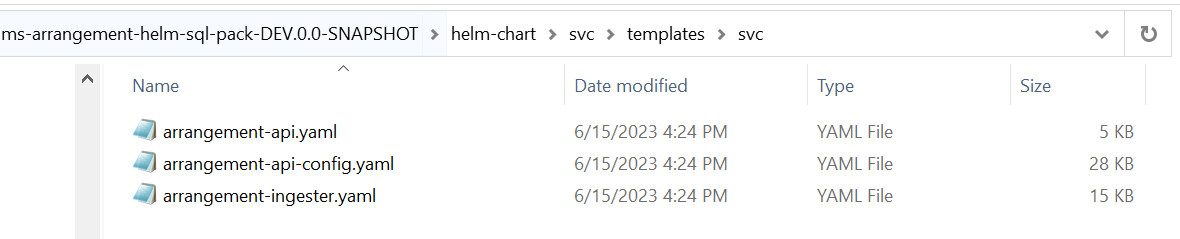
- Configurations will be available in helm-chart->svc→templates→svc.
- These yaml will help us to run pods and services for Holdings MS.
Helm Deployment Steps
Get connected to AKS cluster
To connect to the AKS cluster, run the following command in your local to set the AKS context.
 AZ Commands
#Set the Subscription
az account set --subscription "${SUBSCRIPTION_ID}"

# Set the kubernetes context to local k8 cli
az aks get-credentials --resource-group "${RESOURCE_GROUP_NAME}" --name "${AKS_NAME}"
Follow the steps below to deploy the Consent MS in Azure Kubernetes Service:
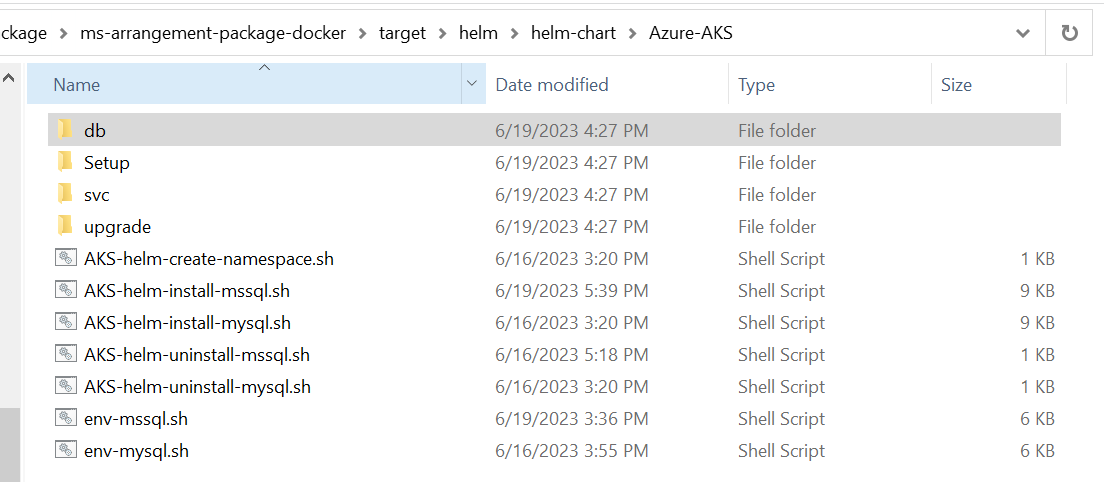
- Navigate to the ms-arrangement-helm-sql-pack-xxxx\helm-chart\Azure-AKS folder:
-
Edit the env.sh file for configuring the environment variables to be used while deploying the services.
Database related properties has to be set according to the Database created in the pre-installation steps.

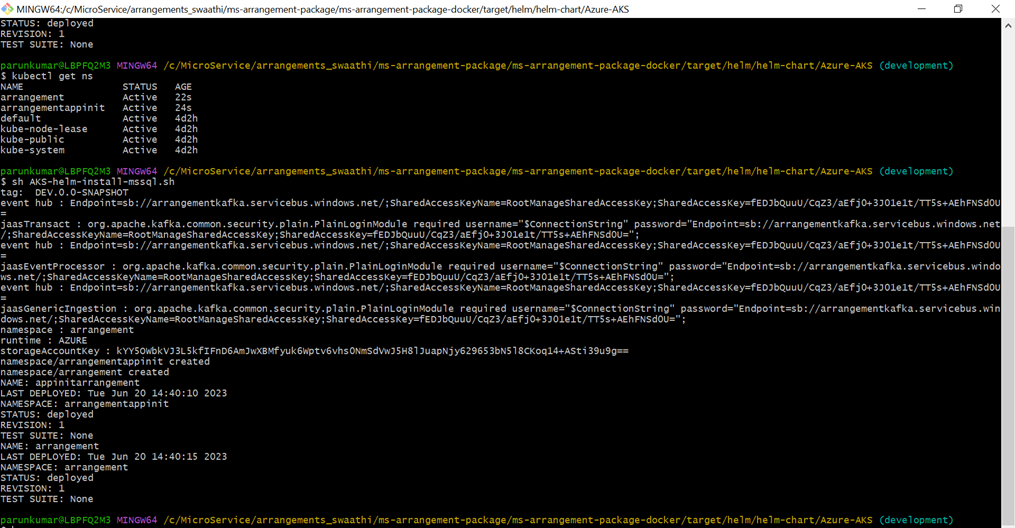
- Execute AKS-helm-create-namespace.sh script to create the namespaces - API and Appinit Namespaces.
- Execute the install script to start the helm deployment.
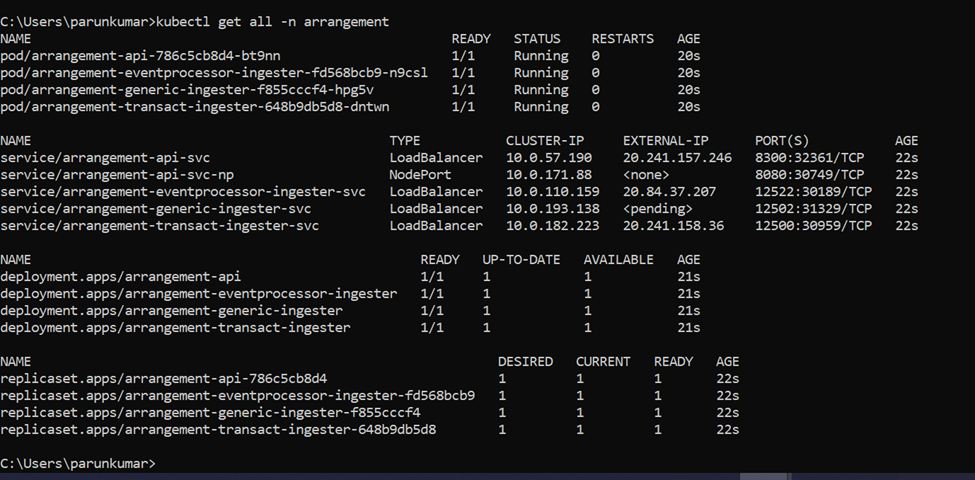
- Check the Consent Namespace for any errors. → kubectl get all -n arrangement.
Validation
To check and verify if the APIs are working fine. Kindly use the External IP of the API Load Balance Service with the Port number 8300, i.e 20.121.181.130:8300
GET URL: http://20.121.181.130:8300/ms-arrangement-api/api/v1.0.0/health/api
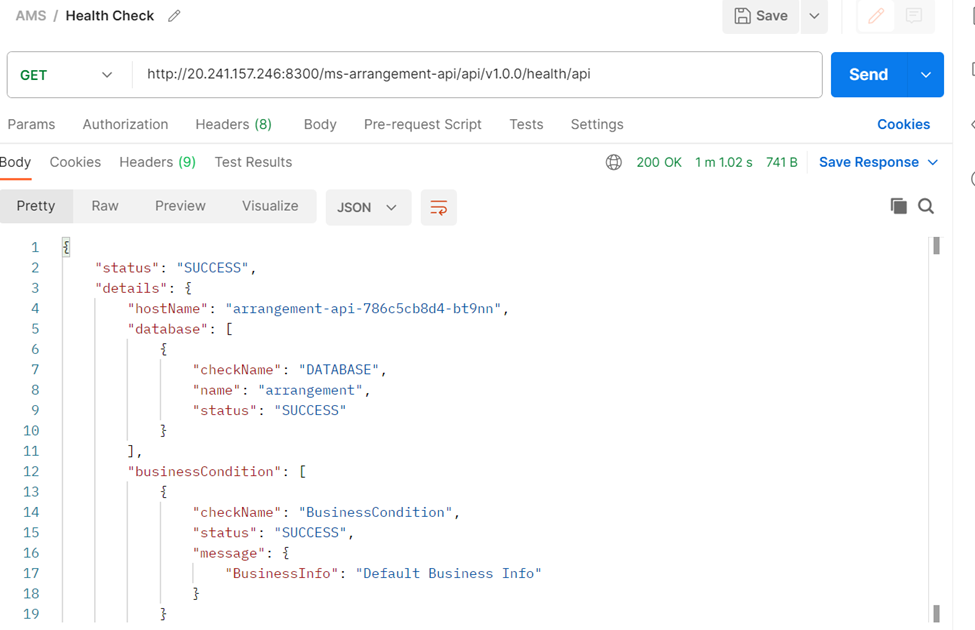
As per the above response, the API Service is up and running.
In this topic