EventProcessor EventHub Configuration for Arrangements MS
 AMS EventProcessor EventHub Configuration
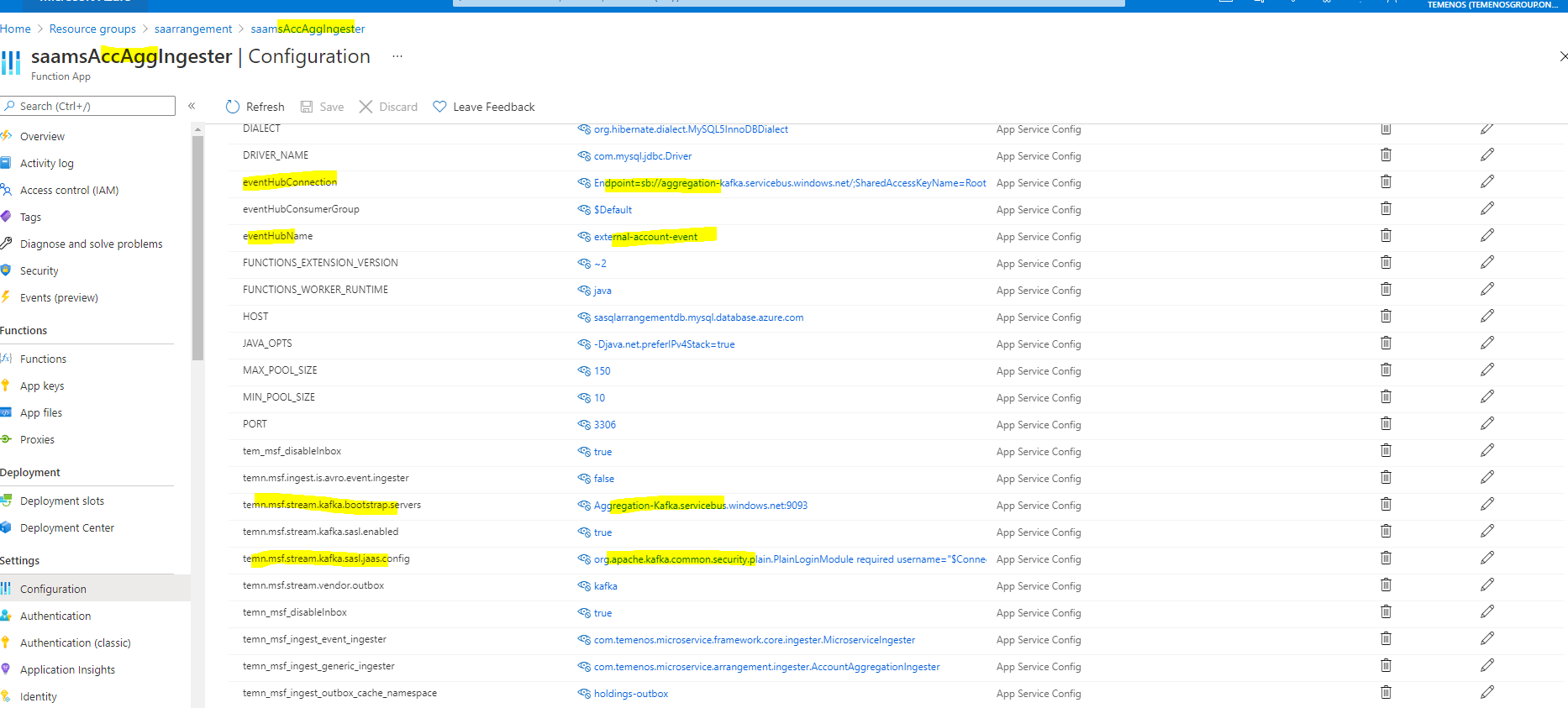
Once AMS Azure is deployed under a particular Resource Group, you can check the configurations of the AccAgg ingester of AMS functionApp. This is done as follows:
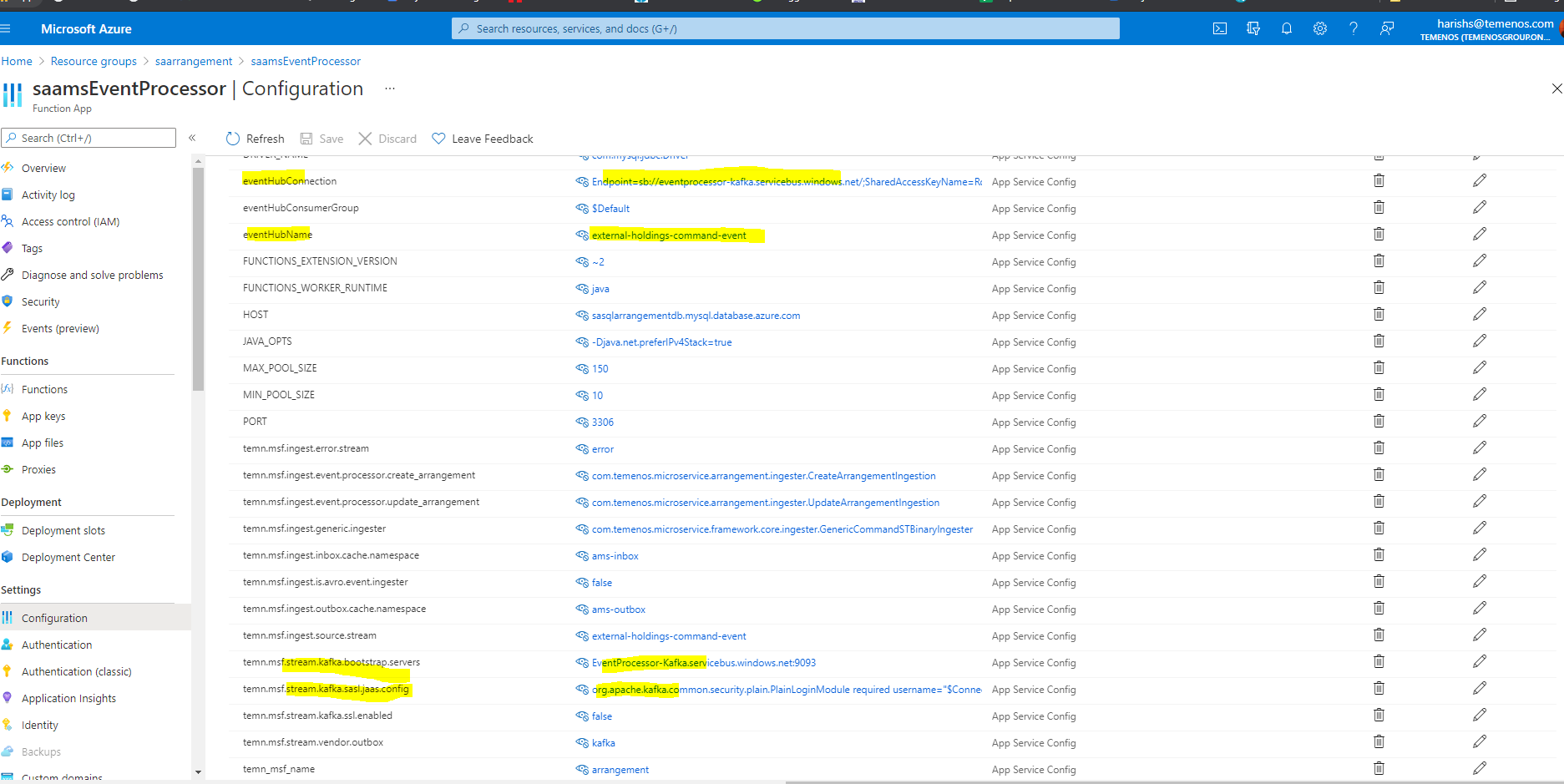
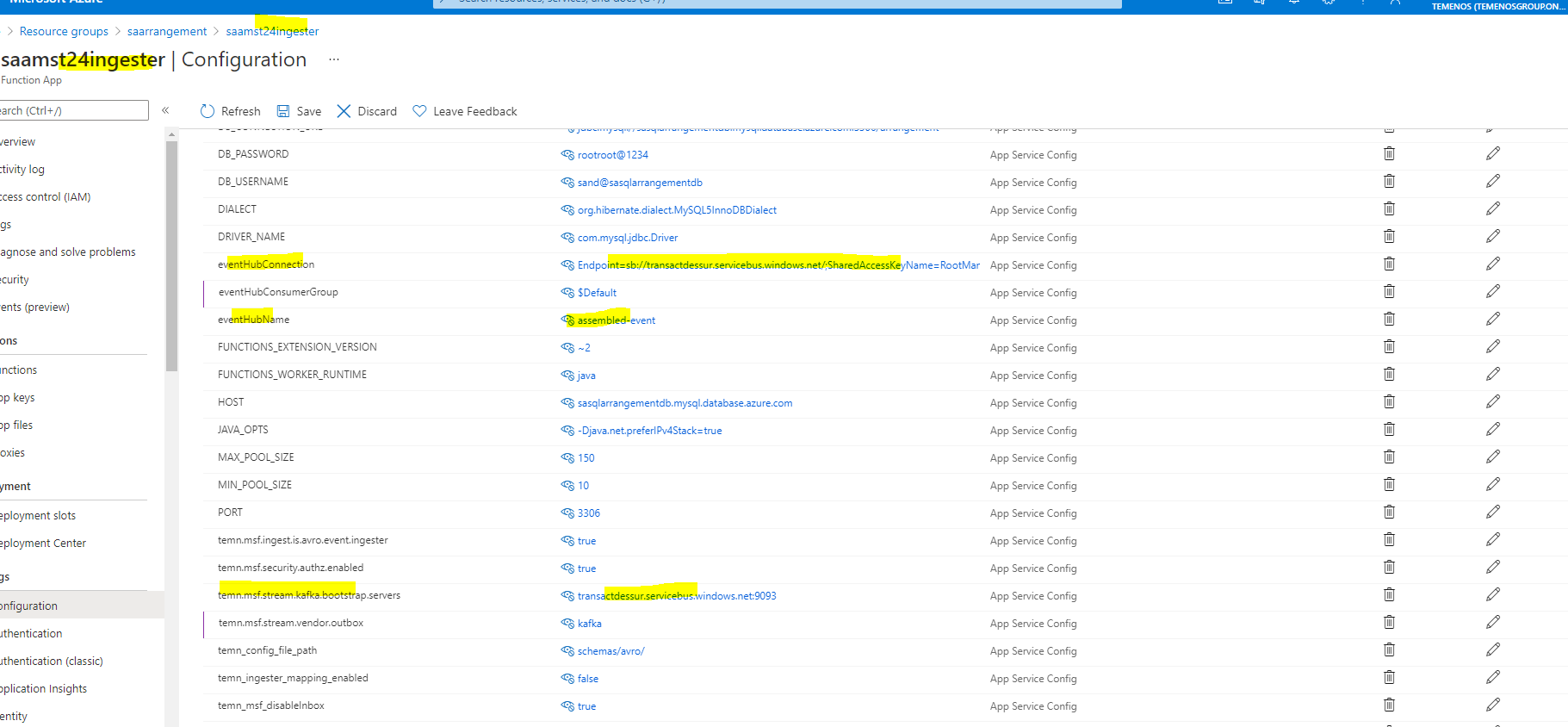
- temn.msf.stream.kafka.bootstrap.servers should point to the Event Store EventHub.
- temn.ingest.source.stream should point to the topic where transact events are streamed.
- eventHubName should be given the Event Hub name where the transact events are pushed.
- temn.ams.business.event should be set to "true".
Below screenshot shows the properties set for Business event processing in Event Processor Ingester.
AMS EventProcessor EventHub Creation
Method 1:
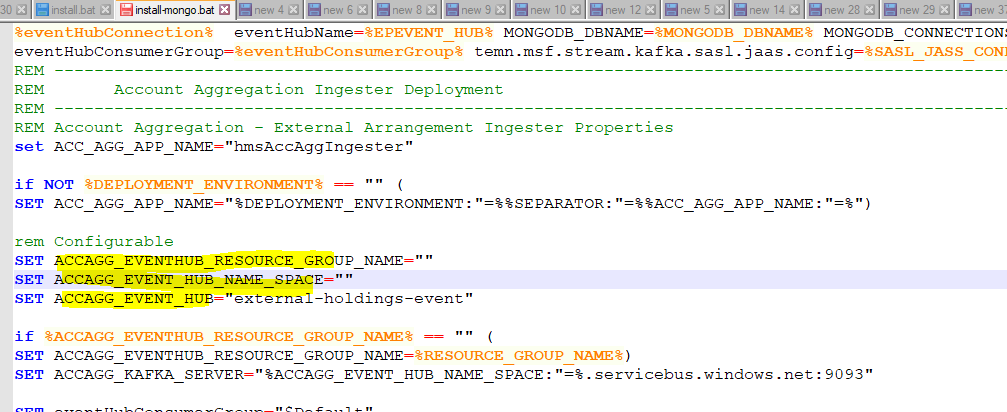
If the EventProcessor EventHub is already created & working, then change the following configuration in install.bat / install.sh as follows:
Here,
- EPEVENTHUB_RESOURCE_GROUP_NAME - is the Resource Group Name where Event Processor EventHub is created.
- EPEVENT_HUB_NAME_SPACE - is the Event Hubs Name Space.
- EPEVENT_HUB - is the Event Hub running in Event Hubs.
Method 2:
If the Event Processor EventHub is not present in Azure Environment then create using the following steps:
In command prompt execute the following commands:
- call az group create --name EventProcessorGroup --location northeurope
here EventProcessorGroup is the Resource Group Name
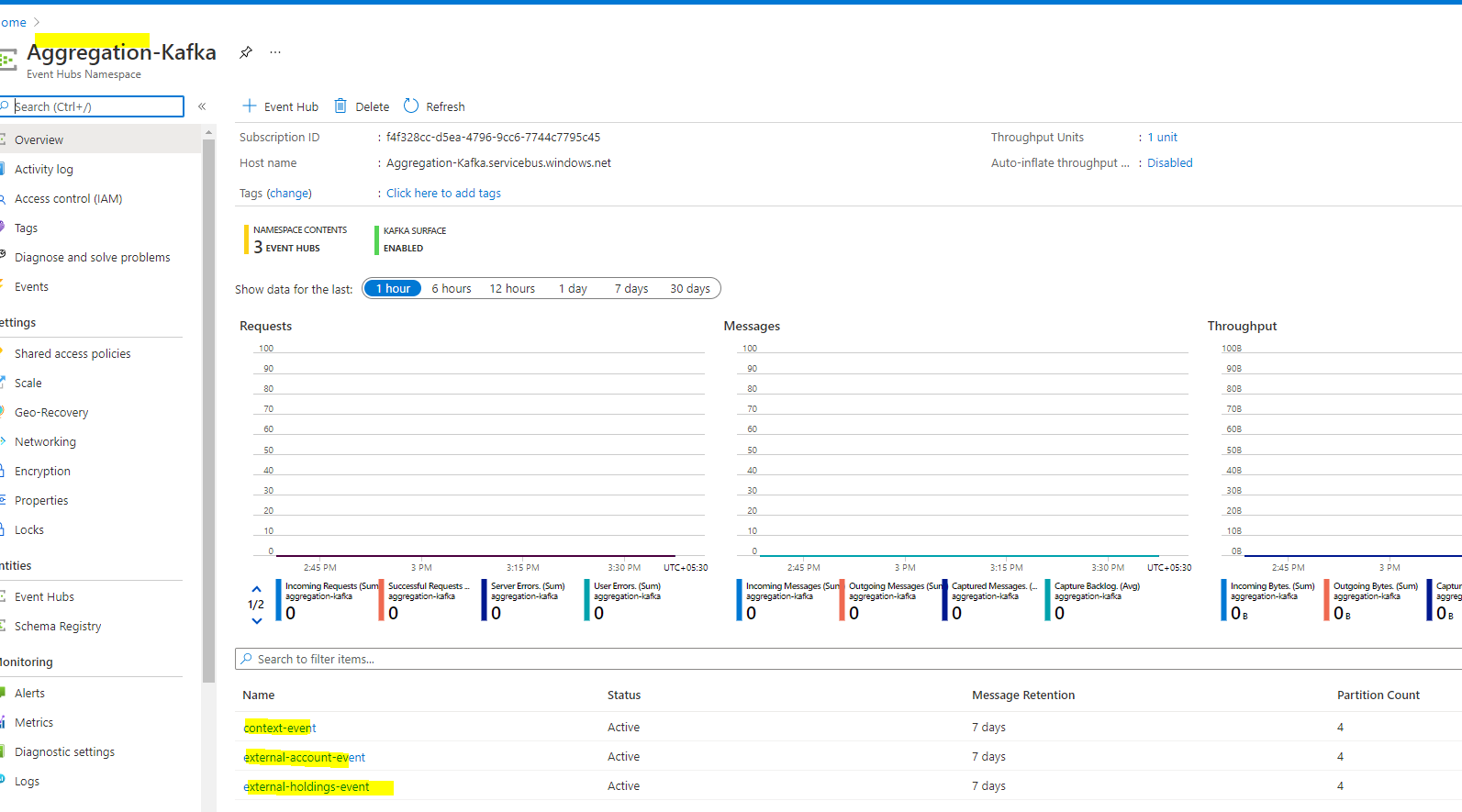
- az eventhubs namespace create --name EventProcessor-Kafka --resource-group EventProcessorGroup -l northeurope --enable-kafka true
here EventProcessorGroup is the Resource Group Name and EventProcessor-Kafka is the EventHub name
- az eventhubs eventhub create --name EBSLONDON.-event-topic --resource-group EventProcessorGroup --namespace-name EventProcessor-Kafka
- az eventhubs eventhub create --name error --resource-group EventProcessorGroup --namespace-name EventProcessor-Kafka
here EventProcessor-Kafka is the EventHub Name and EBSLONDON.-event-topic are the events name
In portal azure it will be as follows:
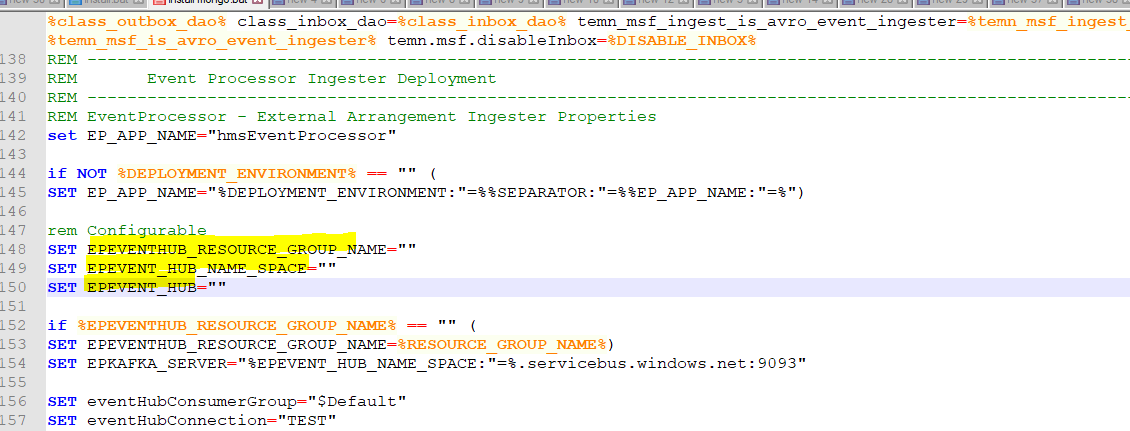
Once created, configure the same in install.bat / install.sh as follows:
Here,
- EPEVENTHUB_RESOURCE_GROUP_NAME - is the Resource Group Name where Event Processor EventHub is created.
- EPEVENT_HUB_NAME_SPACE - is the Event Hubs Name Space.
- EPEVENT_HUB - is the Event Hub running in Event Hubs.
Error Stream
For both the methods, the Error Messages will be written in the same EventHub Resource Group under the eventHub name error.
AMS - EventProcessor EventHub Configuration
Once AMS Azure is deployed under a particular Resource Group, you can check the configurations of the Event processor ingester of AMS functionApp. This is done as follows:
Error Stream
For both the methods, the Error Messages will be written in the same EventHub Resource Group under the eventHub name error.
AMS - Event Processor Kinesis Configuration
Event Processor Lambda function should be configured with the kinesis stream where the Transact business events are streamed from Transact System.
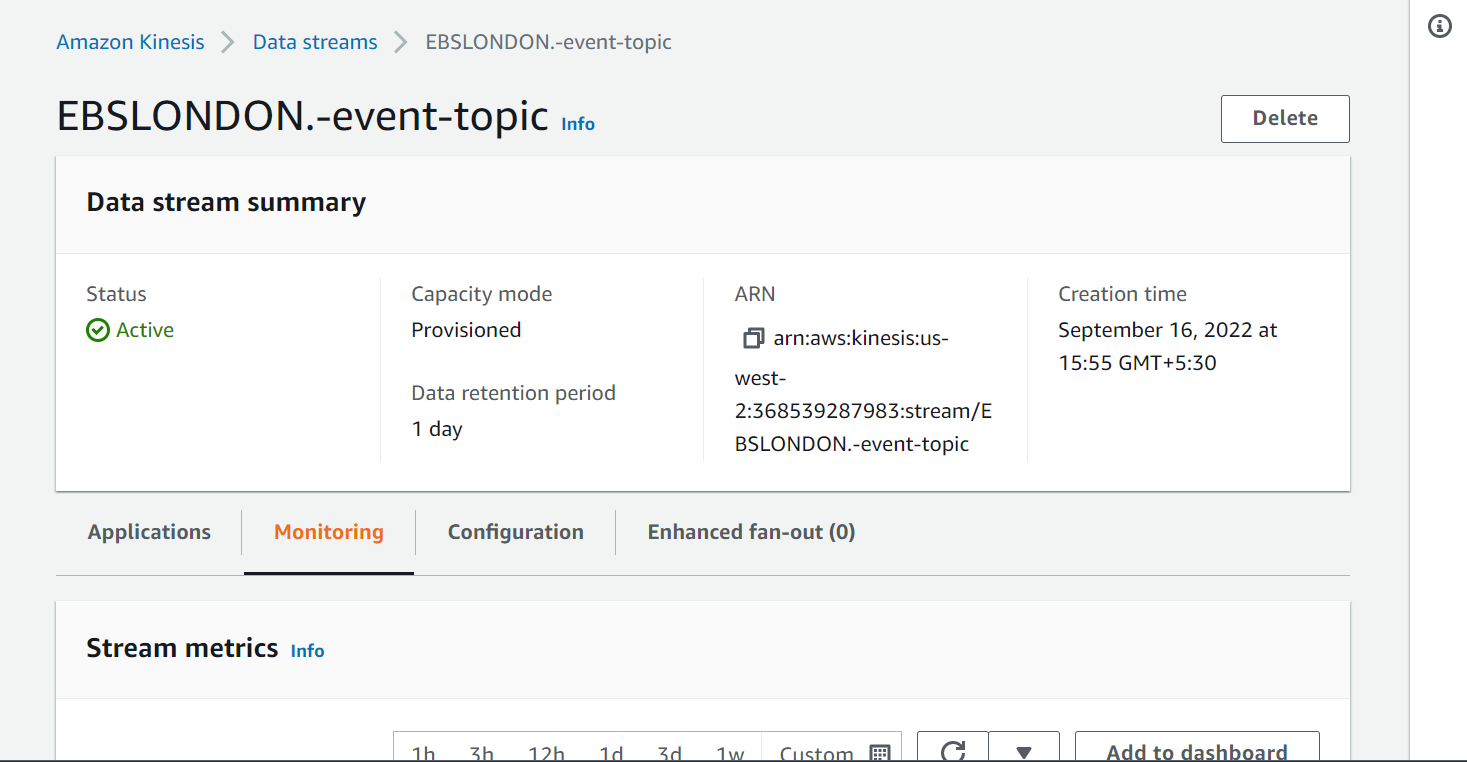
If you execute the install-aws.sh, the <multideployment>-EBSLONDON.-event-topic kinesis will be automatically created and it will be linked to the EventProcessor Ingestion Lambda Function
In the AWS portal it will be as follows:
AMS - Event Processor Kinesis Creation
Method 1
If the Event Processor Kinesis is already created & working, then change the following configuration in install-aws.sh as follows:
(refer it from the account aggregation ms install-aws.sh scripts)
Here:
EP_INGEST_SOURCE_STREAM - kinesis for Event Processor
Method 2
If the Event Processor Kinesis is not present in AWS Environment then install-aws.sh will automatically create the kinesis.
If you execute the install-aws.sh, the <multideployment>-EBSLONDON.-event-topic Kinesis will be automatically created if it does not exists.
In the AWS portal it will be as follows:
AMS - Transact Kinesis Configuration
If you execute the install-aws.sh, the assembled-event-MSRetail kinesis will be automatically created and it will be linked to the Internal Ingestion Lambda Function.
In the AWS portal it will be as follows:
AMS - Transact Kinesis Creation
Method 1:
If the Transact Kinesis is already created & working, then change the following configuration in install-aws.sh as follows:
Here,
- INGEST_SOURCE_STREAM - kinesis for T24.
- temn_msf_schema_registry_url - localhost/subjects for DES Transact.
Method 2:
If the Transact Kinesis is not present in AWS Environment then install-aws-dynamo.sh / install-aws-postgresql.sh will automatically create the kinesis.
If you execute the install-aws.sh , the assembled-event-MSRetail Kinesis will be automatically created if it does not exists.
In the AWS portal it will be as follows:
- This Kinesis for Transact will have the default name with the syntax of <eventName>-<systemName> eg. assembled-event-MSRetail.
In this topic