Installing Due Diligence Microservice on Azure
This section helps you to install the Due Diligence Microservice on Azure cloud.
For MongoDB
The install.sh/install.bat script is used to deploy the Due Diligence Microservices in the Standalone Mode.
The destroy.sh/destroy.bat script is used to undeploy and remove the Azure services created in the Azure environment.
The folder structure of the zip fileis ms-duediligence-package-azure-mongo<release_number>.zip.

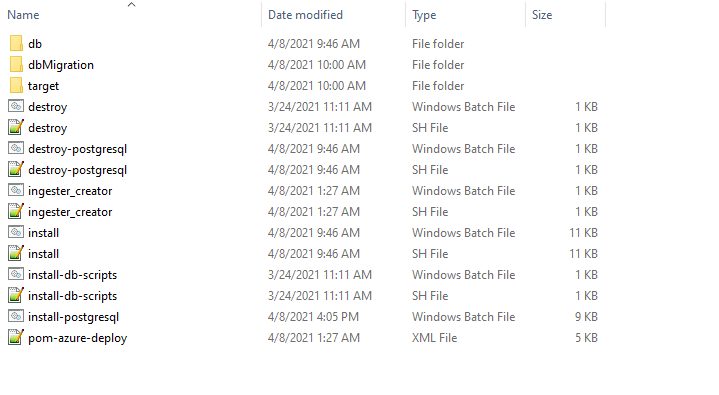
The Pom-azure-deploy.xml file deploys the azure function into the azure portal.
Prerequisite
Before deploying Due Diligence Microservice on Azure ensure you have the following:
- Install the Azure Command Line Interface. For more information about the installation, click here.
- Install Maven.
- Install Mongo Shell.
- An active connection string of Mongo Atlas cluster. The Mongo Atlas Cluster must be acquired for Java driver version 3.4.
- Obtain MONGODB_CONNECT_STR string for Java driver version 3.4.
- Download the mongo shell from the Mongo Atlas under the Connect with mongo shell tab by clicking the Connect button.
- Obtain MONGOSHELL_CONNECT_STR string under the Connect with MongoDB Compass by clicking the Connect button.
To deploy Due Diligence Microservice on Azure, follow these steps:
- Download and extract the zip file from target folder.
- In command prompt, go to the installation directory.
- Modify the details such as resource group, location, MONGODB_CONNECT_STR, and MONGOSHELL_CONNECT_STR in the install.sh or install.bat script specific to the installation.
SET MONGODB_CONNECT_STR="mongodb://Temenos:Temenos123@cluster0-shard-00-02.4o1ua.azure.mongodb.net:27017,cluster0-shard-00-00.4o1ua.azure.mongodb.net:27017,cluster0-shard-00-01.4o1ua.azure.mongodb.net:27017/ms_duediligence?authSource=admin&gssapiServiceName=mongodb&replicaSet=atlas-vj913p-shard-0&ssl=true"
SET MONGOSHELL_CONNECT_STR="mongodb+srv://Temenos:Temenos123@cluster0.4o1ua.azure.mongodb.net"
- Insert the default mongo.js file (Master Data) into the MongoDB through install.bat or install.sh file. Perform the following steps to insert data other than master data:
- Load the Pre-requisite data into Mongo DB through install-db-scripts.bat or install-db-scripts.sh script file.
- Load data through script files(.js).
- Place all the files under ms-duediligence-azure\target\azure-functions\<app folder> path.
- While executing the bat file, send the following parameters:
uri
Need to provide Mongo string URL with username & password mentioned in the pre-requisite section.
app_name
Need to provide the app name which mentioned while deploying azure.
scripts
Need to provide the file names delimited by comma.
- Run the following command:
- For .bat file
install-db-scripts.bat --uri <uri> --app_name <app_name> --scripts "<filename1>,<filename2>"
install-db-scripts.bat --uri --mongodb+srv://test:test@cluster0.4o1ua.azure.mongodb.net --app_name duediligenceapp --scripts "mongo1.js,mongo2.js"
- For .sh file
install-db-scripts.sh --uri <uri> --app_name <app_name> --scripts "<filename1>,<filename2>"
install-db-scripts.sh --uri mongodb+srv://test:test@cluster0.4o1ua.azure.mongodb.net --app_name duediligenceapp --scripts mongo1.js,mongo2.js
- For .bat file
- You can change the default Azure function app name in the script. In case of app name changes, rename the app available under (ms-duediligence-azure\target\azure-functions\<app folder>\) .
- To enable authorization and authentication, follow these steps:
- In addition to the API key, enable JWT Authentication.
- To enable security policies and access rights to the APIs, enable XACML configurations.
- Execute install.sh or install.bat to deploy all the necessary components for a microservice including streaming services will be deployed to run the microservice independently.
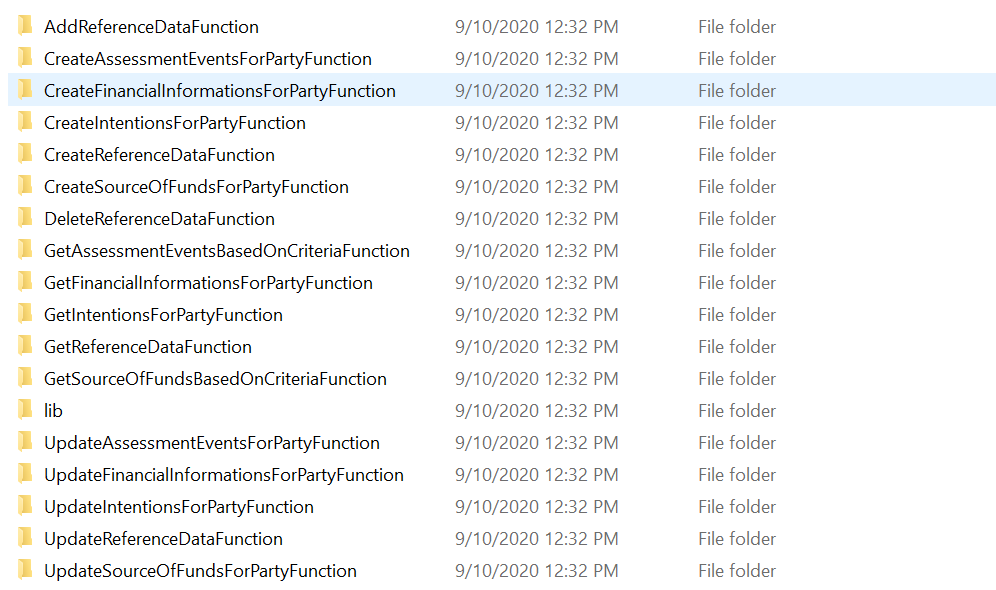
Script Description install.sh / install.bat This deploys all the necessary components for a microservice including streaming services, in order to run the microservice independently. - Once the installation is done, create Azure functions.
- Log in to Azure portal and check the following:
- Resource Group
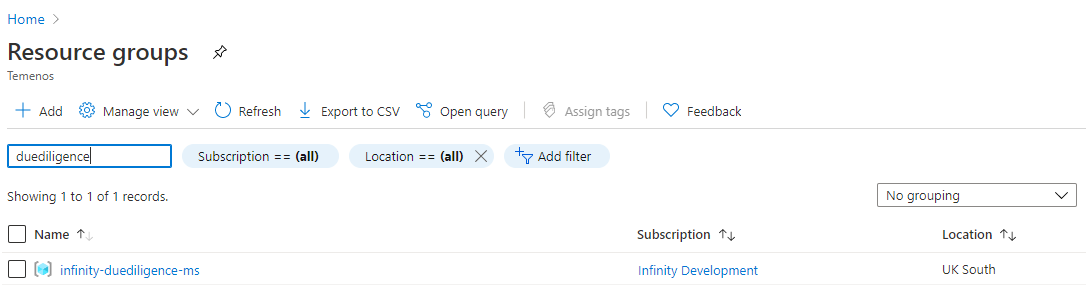
- Function App
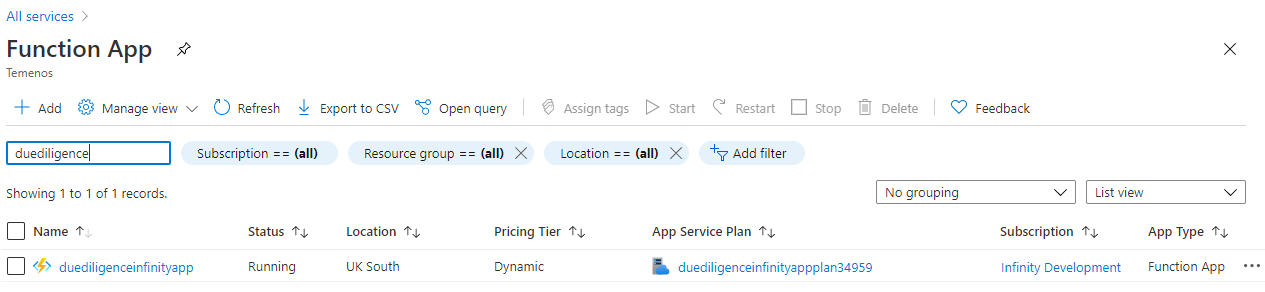
- Due Diligence Functions
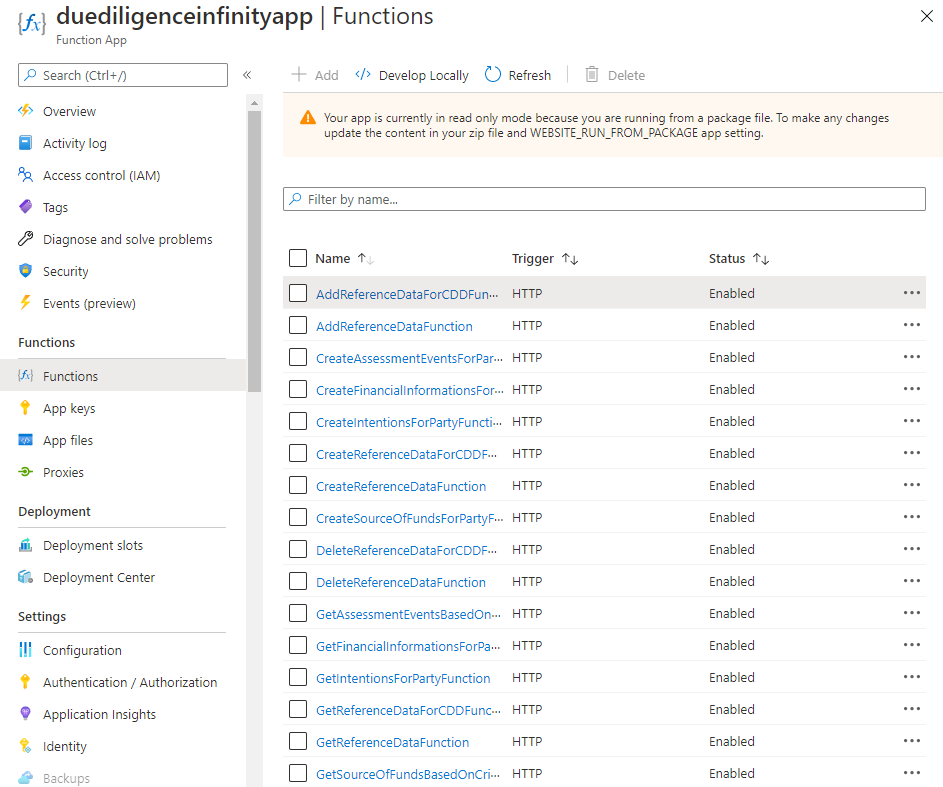
You can retrieve the API key for each endpoint in the function app using the command below:
func azure functionapp list-functions <function-app-name> --show-keys
You can also retrieve the API key using the Azure function GUI as follows:
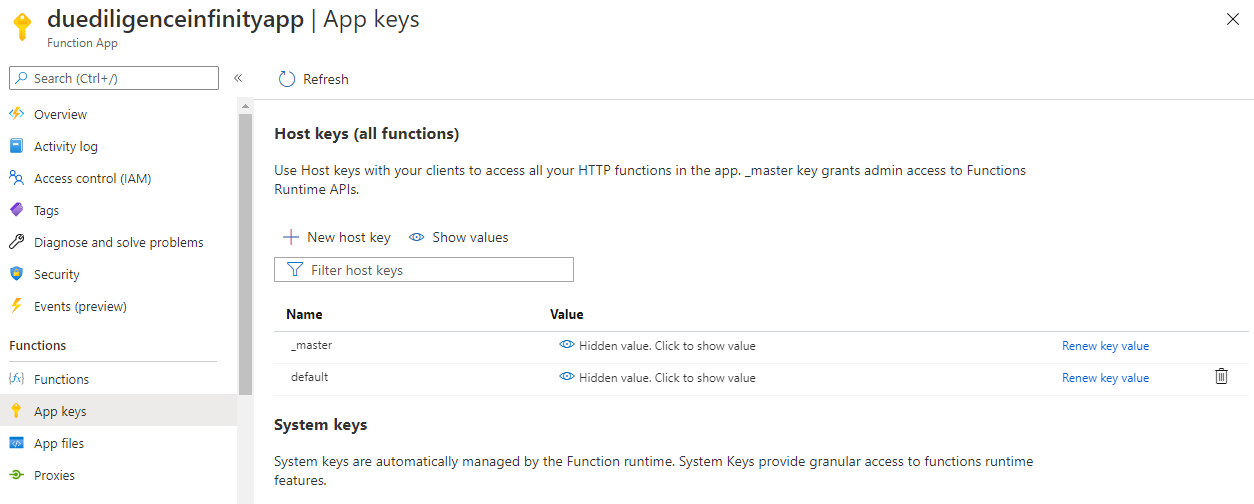
You can retrieve the endpoints of the azure function app from the Azure Function App. Below is the URL of sample function app.
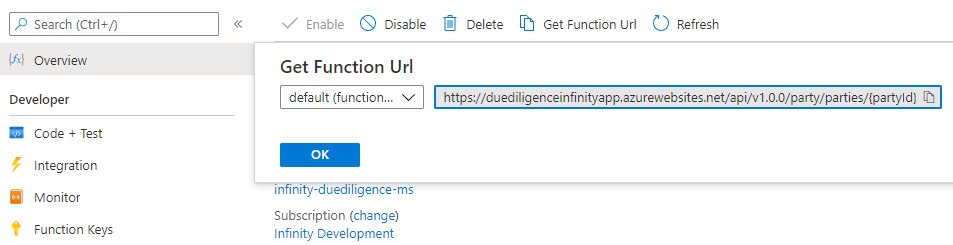
The Get Function URL provides the complete URL with API key.
After the successful deployment load the database, collections and the reference data(master data) into the mongo server database for Due Diligence Microservice.
- Resource Group
For PostgreSQL
The install-postgresql.sh/install-postgresql.bat script is used to deploy the Due Diligence Microservices in the Standalone Mode.
The destroy-postgresql.sh/destroy-postgresql.bat script to undeploy and remove the Azure services created in the Azure environment.
The folder structure of the zip fileis ms-duediligence-package-azure-postgresql<release_number>.zip

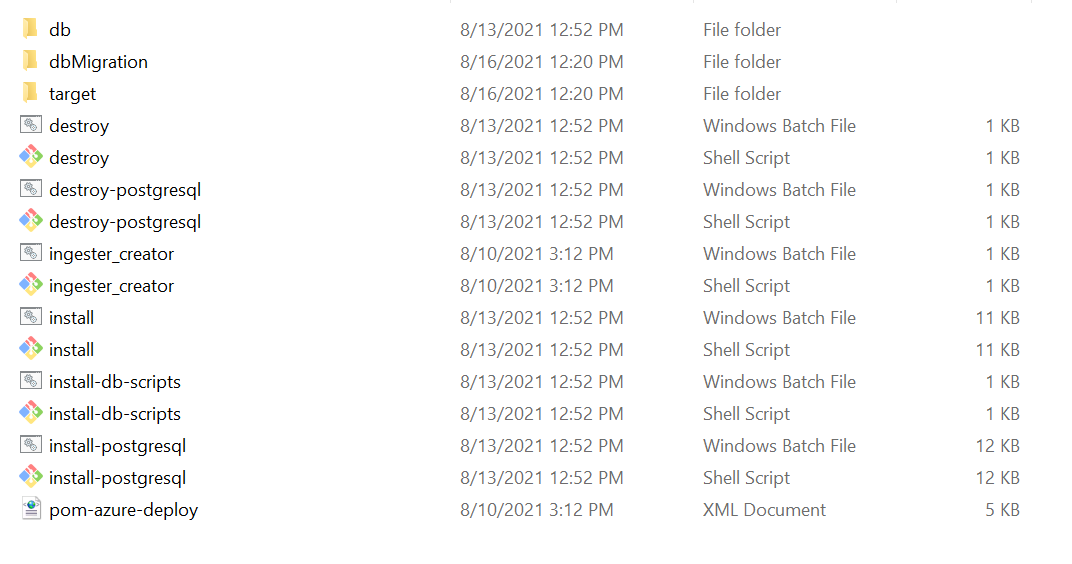
The Pom-azure-deploy.xml file deploys the azure function into the azure portal.
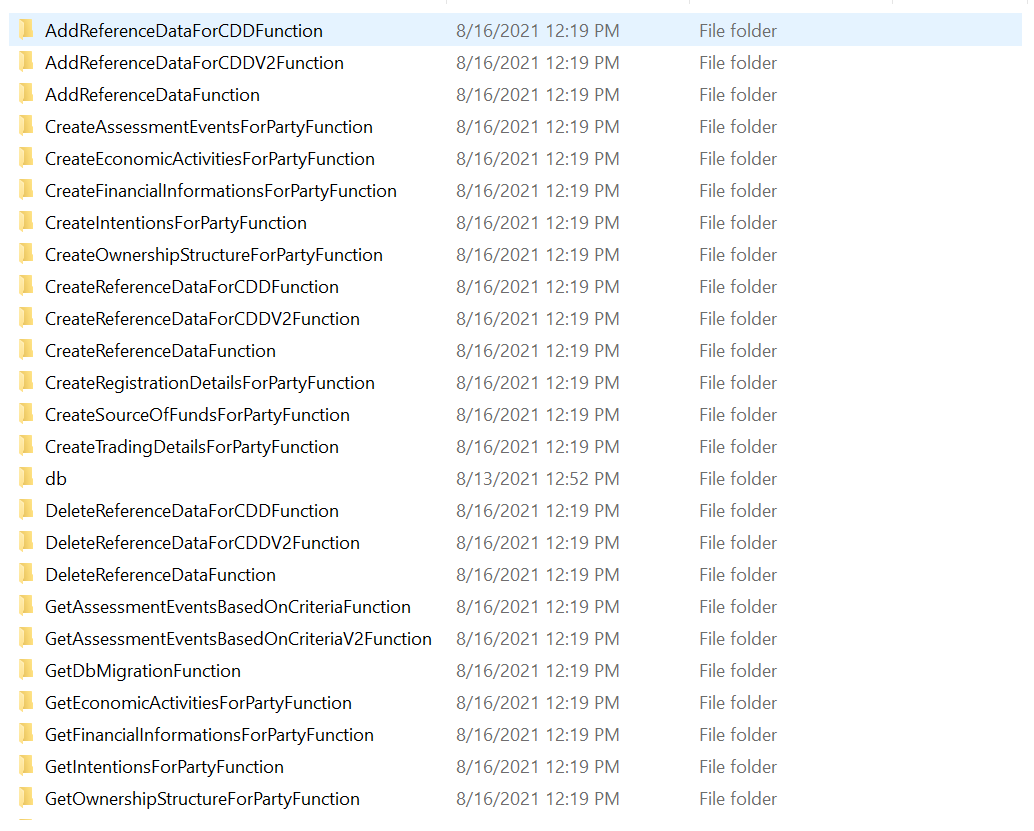
Prerequisite
- Install the Azure Command Line Interface. For more information about the installation, click here.
- Install Maven.
To deploy Due Diligence Microservice on Azure, follow these steps:
- Download and extract the zip file from target folder.
- In command prompt, go to the installation directory.
- Insert the default initmsdb.sql file (Master Data) into the PostgreSql.
- You can change the default Azure function app name in the script. In case of app name changes, rename the app available under (ms-duediligence-azure\target\azure-functions\<app folder>\) .
- To enable authorization and authentication, follow these steps:
- In addition to the API key, enable JWT Authentication.
- To enable security policies and access rights to the APIs, enable XACML configurations.
- Execute install.sh or install.bat to deploy all the necessary components for a microservice including streaming services will be deployed to run the microservice independently.
Script Description install-postgresql.sh / install-postgresql.bat This deploys all the necessary components for a microservice including streaming services, in order to run the microservice independently. - Once the installation is done, create Azure functions.
- Log in to Azure portal and check the following.
- Resource Group
- Function App
- Due Diligence Functions
You can retrieve the API key for each endpoint in the function app using the command below:
func azure functionapp list-functions <function-app-name> --show-keys
You can also retrieve the API key using the Azure function GUI as follows:
You can retrieve the endpoints of the azure function app from the Azure Function App. Below is the URL of sample function app.
The Get Function URL provides the complete URL with API key.
After the successful deployment load the database, collections and the reference data(master data) into the PostgreSql server database for Due Diligence Microservice.
- Resource Group
In this topic