Notifications Microservice - Integration with Fabric
Below properties should be configured in Notification Microservice in order to send alerts to the Fabric/UI and to establish secure API connectivity with the Fabric.
| Name | Value | Description | Component |
|---|---|---|---|
| appid | RETAIL_AND_BUSINESS_BANKING | App ID to send to Fabric Alert/Push Event API as payload | Fabric |
| BasePathKony | https://100037426.auth.konycloud.com | Base path for Fabric Identity Service | Fabric |
| contenttype | application/json | contentType Header, used as header to invoke Fabric Alert/Push Event API | Fabric |
| konyPassword | Kony@123 | Password of admin user from User Store, this is used against the identity service | Fabric |
| KonyProviderResourcePath | /login | Resource path for Fabric Identity Service | Fabric |
| KonyServicesResourcePath | https://infinityautomation1.konycloud.com:443/services/data/v1/PushExternalEvents/objects/PushEvent | Fabric Alert/Push Event API Object Service URL | Fabric |
| konyUserId | externaluser@external.com | User ID of admin user from User Store, this is used against the identity service | Fabric |
| XKonyAppKey | e6c77db2733b18603e4639c75805482e | App key of UserStore Identity Service, used to authenticate before pushing data into Fabric Server Events | Fabric |
| XKonyAppSecret | f737250e5fbf36492e5e4689a72e5656 | App Secret of UserStore Identity Service, used to authenticate before pushing data into Fabric Server Events | Fabric |
| eventstatus | SID_EVENT_SUCCESS | Event Status to send to Fabric Alert/Push Event API as payload | Fabric |
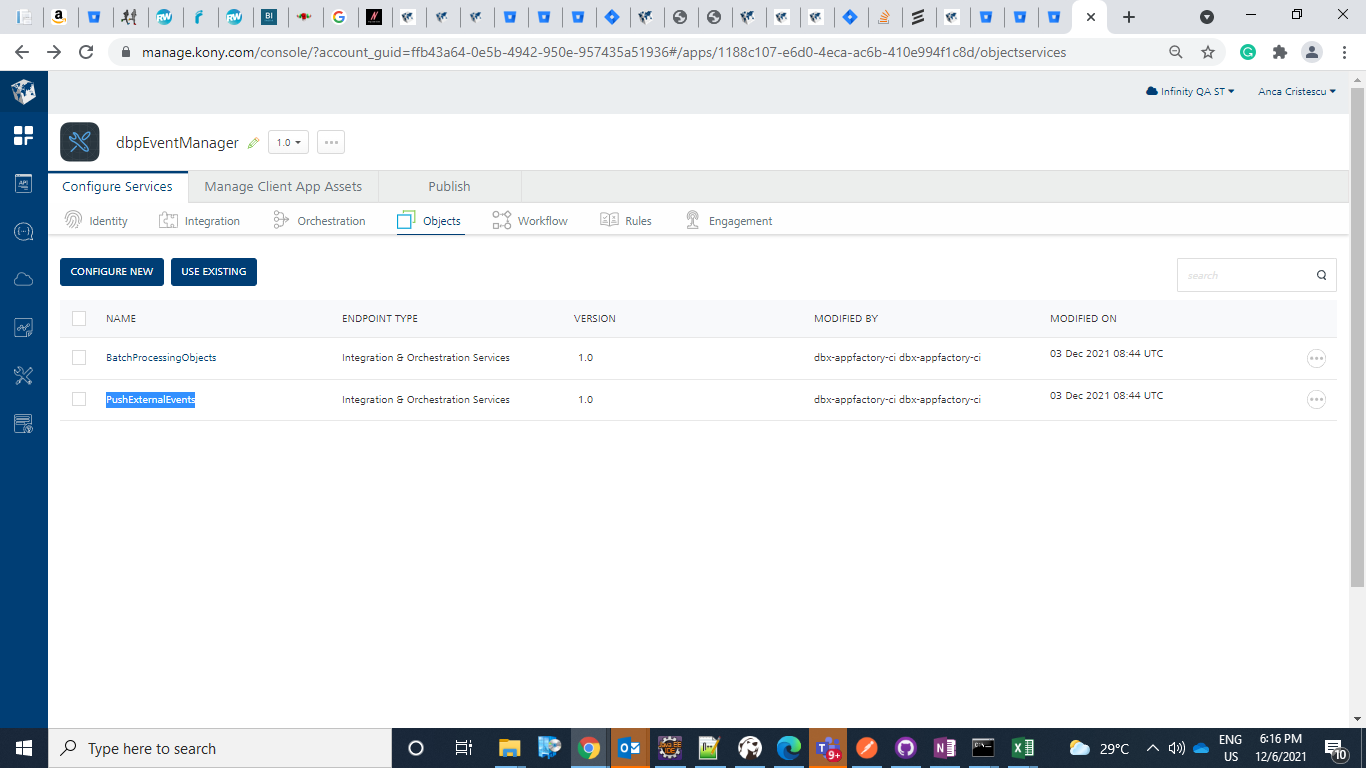
The XKonyAppKey, and XKonyAppSecret can be retrieved from fabric MF console. The dbpEventManager contains the userStore Identity service, and PushExternalEvents Object Service, where you can view for the PushExternalEvents Object service in API management console and find associated apps.
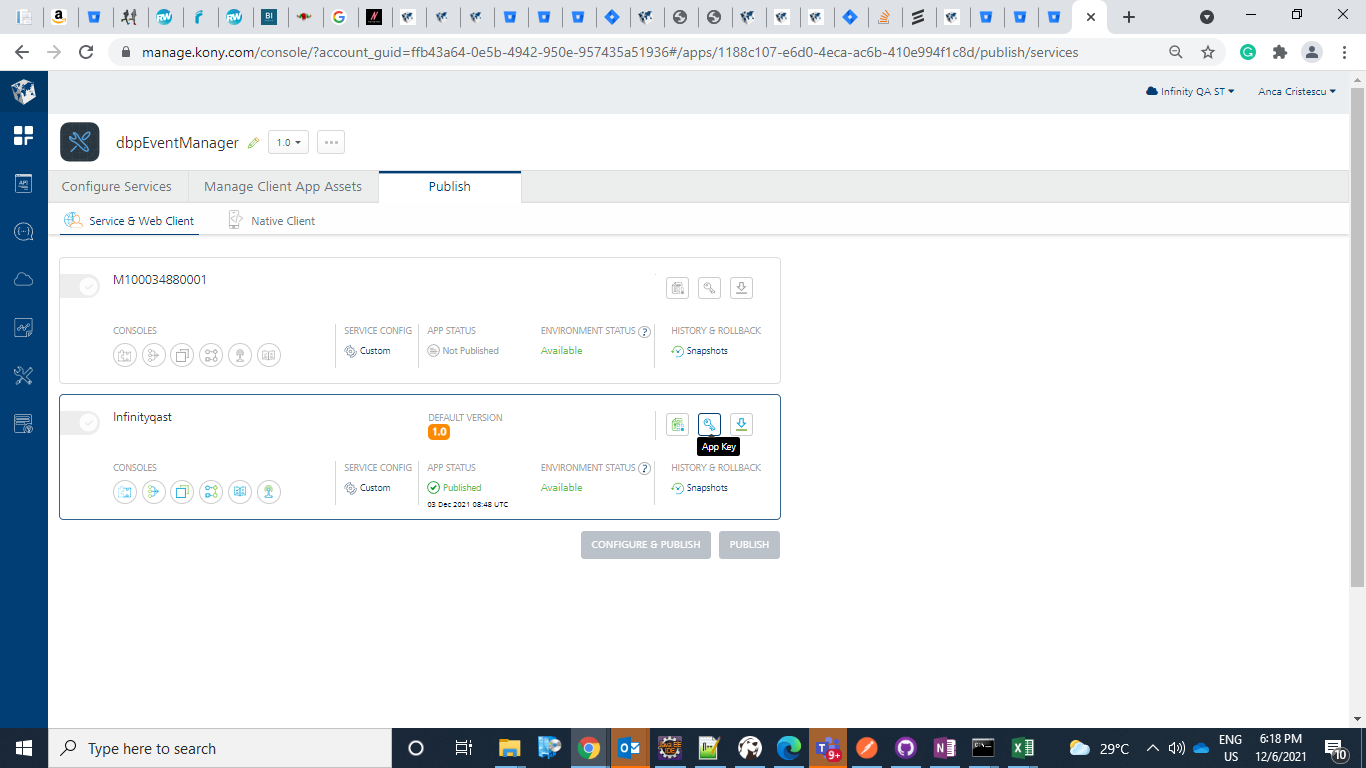
Go to publish tab, and click on App Key icon
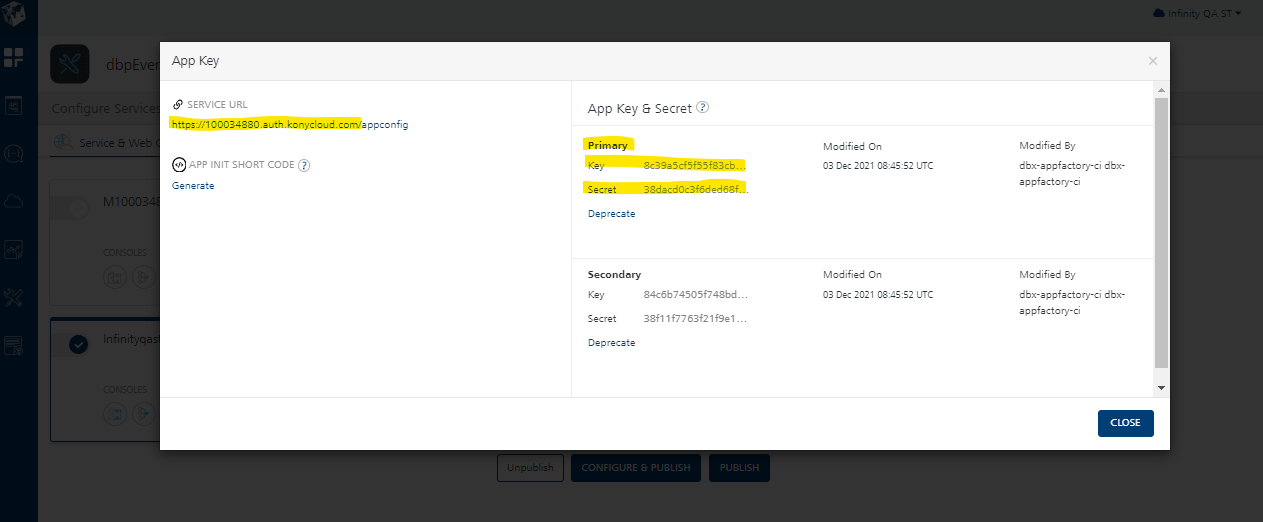
Copy the values of the Service URL, App key, and base path of the Identity service (Kony Base Path).
To get the konyPassword and konyUserId, navigate to the Identity Services tab and click on UserStore.
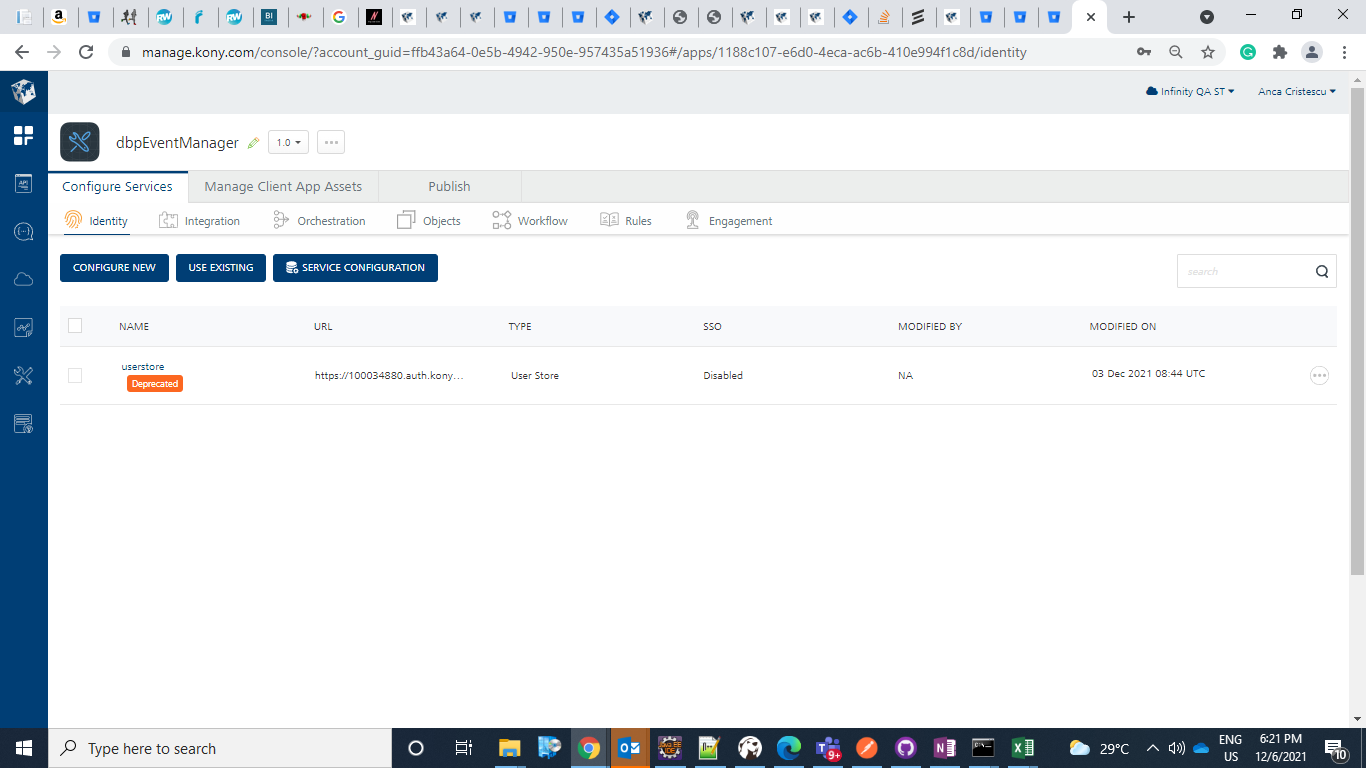
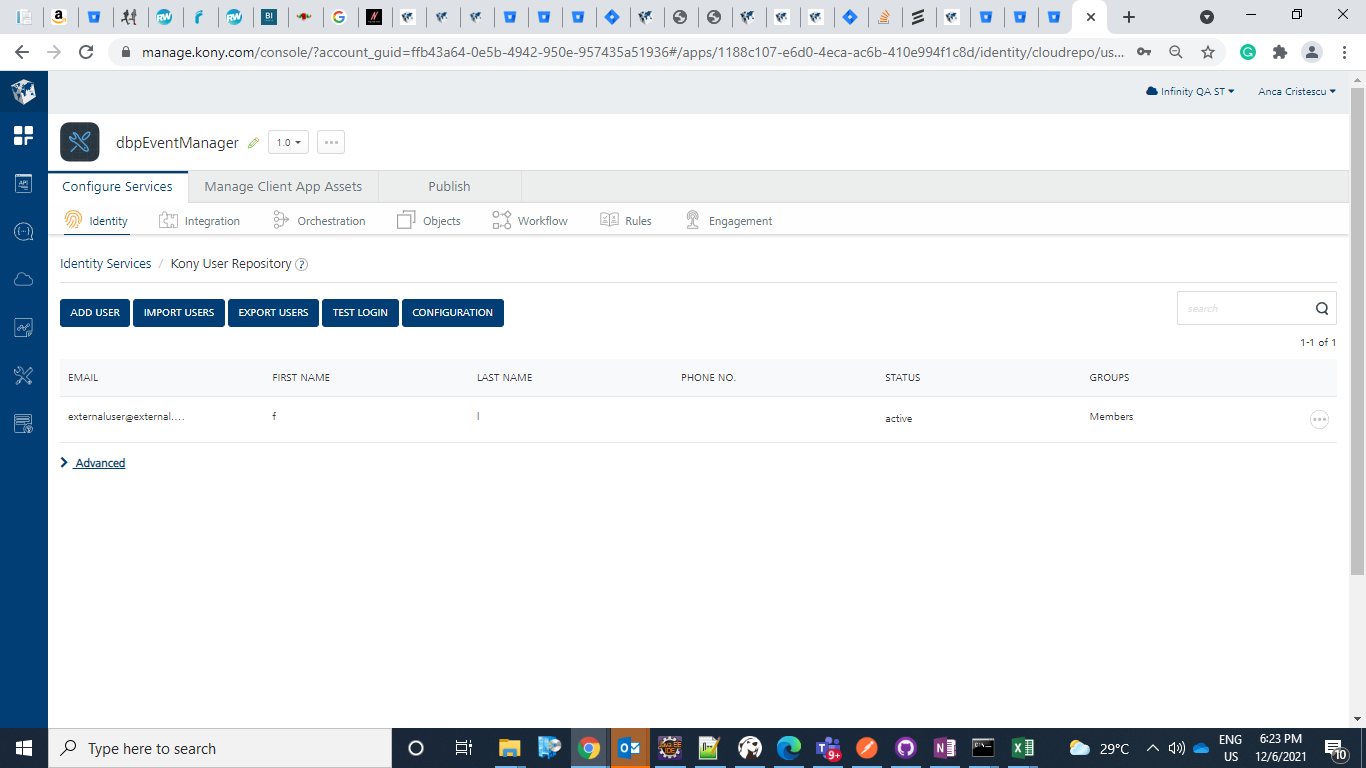
Click on the available user, or add a new user if none exist (in this case you might have to publish the app again)
By default, the below are the credentials for the available user:
-
User ID- externaluser@external.com
-
Password- Kony@123.
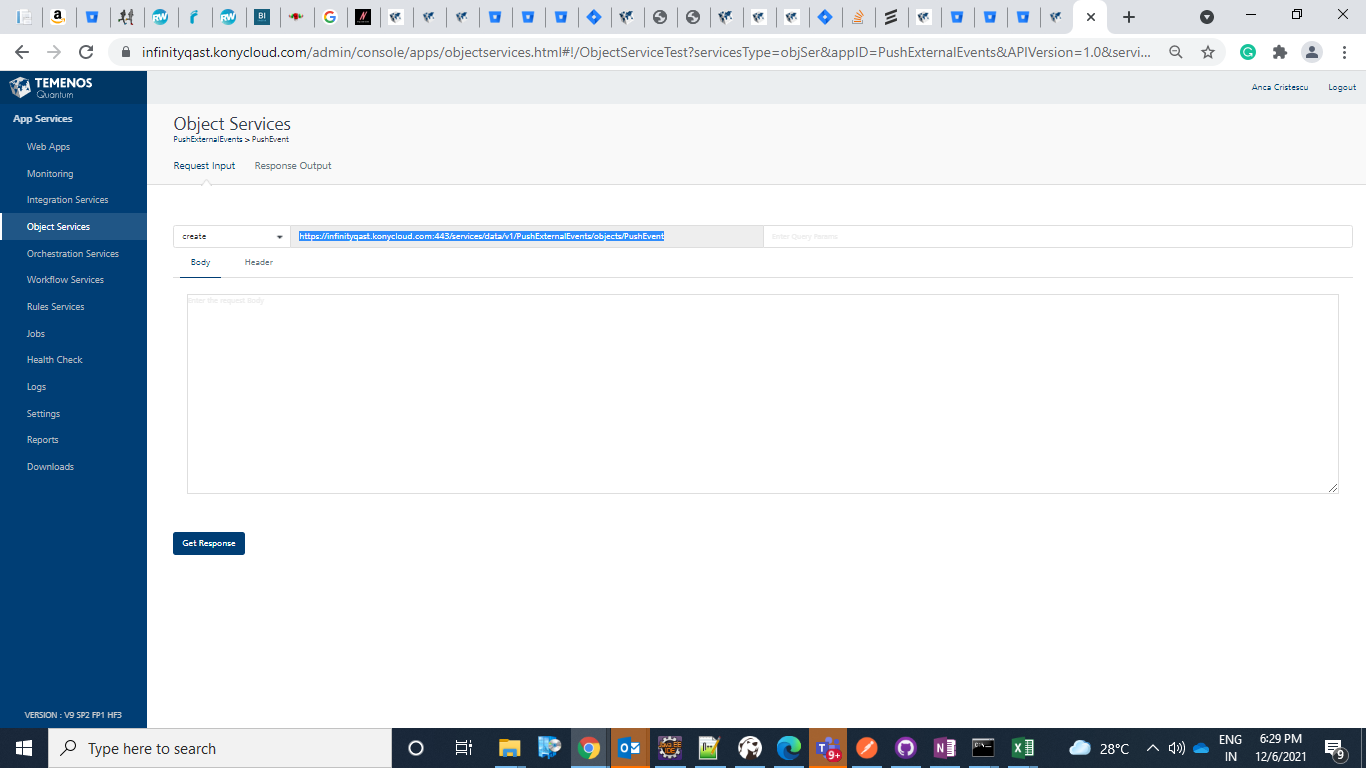
The value for KonyServicesResourcePath can be obtained from the Fabric Admin Console, and Object Services tab.
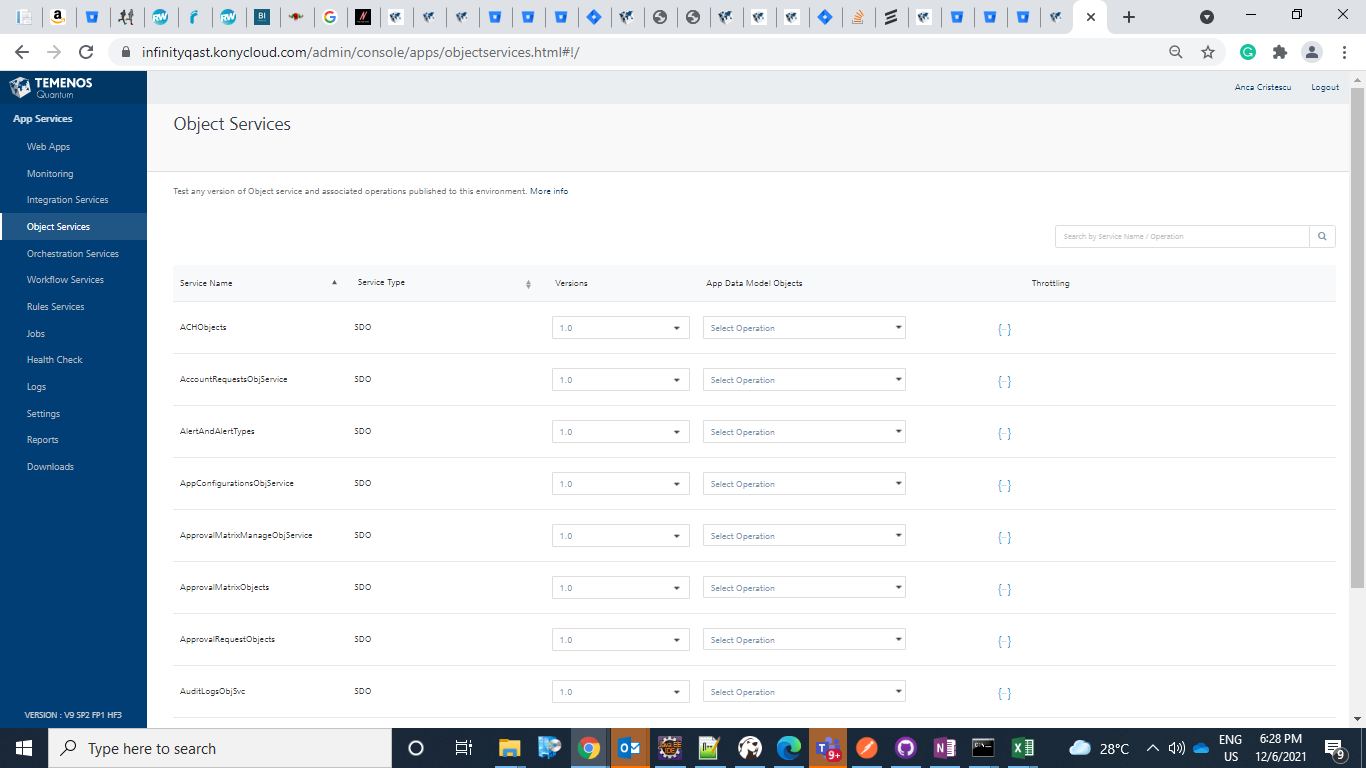
Search for the Push Event to find PushExternalEvent Service with a PushEvent operation.

The service URL value can be retrieved from the Request Input tab.
In this topic