Installing Holdings Microservice in AWS
This section helps you to install the Holdings Microservice in AWS.
Prerequisites:
- Install Python 2.7
- Install aws-cli 1.19.79
Dynamo DB
Following is the installation steps for Dynamo DB:
- Copy and unzip the generated zip file (from target folder) in the installation directory.
- In AWS command line, navigate to the installation directory.
- To make the Microservice up and running, execute install-aws-dynamo.sh shell file.
- In case of a multiple instance deployment, provide a unique value to
DEPLOYMENT_ENVIRONMENTproperty ininstall-aws-dynamo.shfile, which creates API Gateway, Lambda Function, DB Instances, S3 Bucket, Kinesis.
If there is no value inDEPLOYMENT_ENVIRONMENTproperty, then default value of API Gateway, Lambda Function, DB Instances, S3 Bucket, Kinesis are considered. - To set up the AWS environment, modify the region information in the install-aws-dynamo.sh or
install-aws-postgresql.shscript specific to your installation. - region us-west-2
- event-source-arn arn:aws:kinesis:us-west-2
- Uri arn:aws:apigateway:us-west-2:lambda:path/2015-03-31/functions/arn:aws:lambda:us-west-2
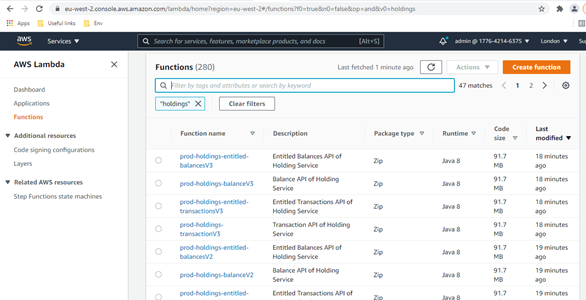
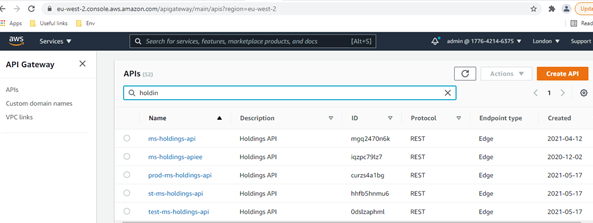
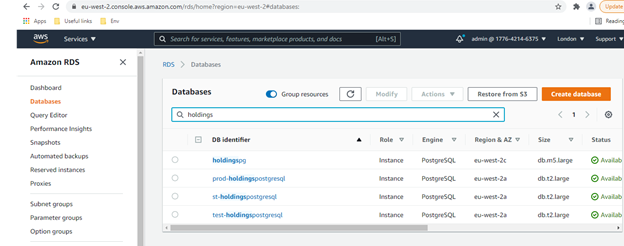
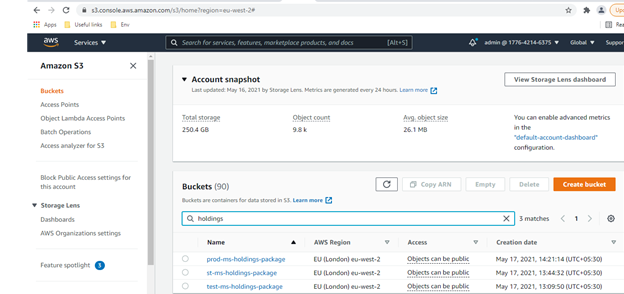
- Post-installation, login to the AWS portal and verify if the following are properly created:
- Lambda Functions
- API Gateway
- Database
- S3 Bucket
- Kinesis
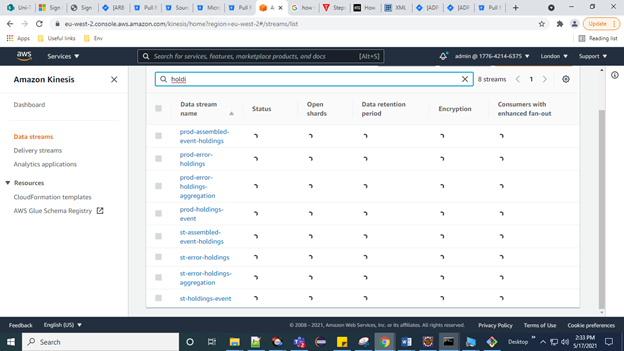
- Lambda Functions
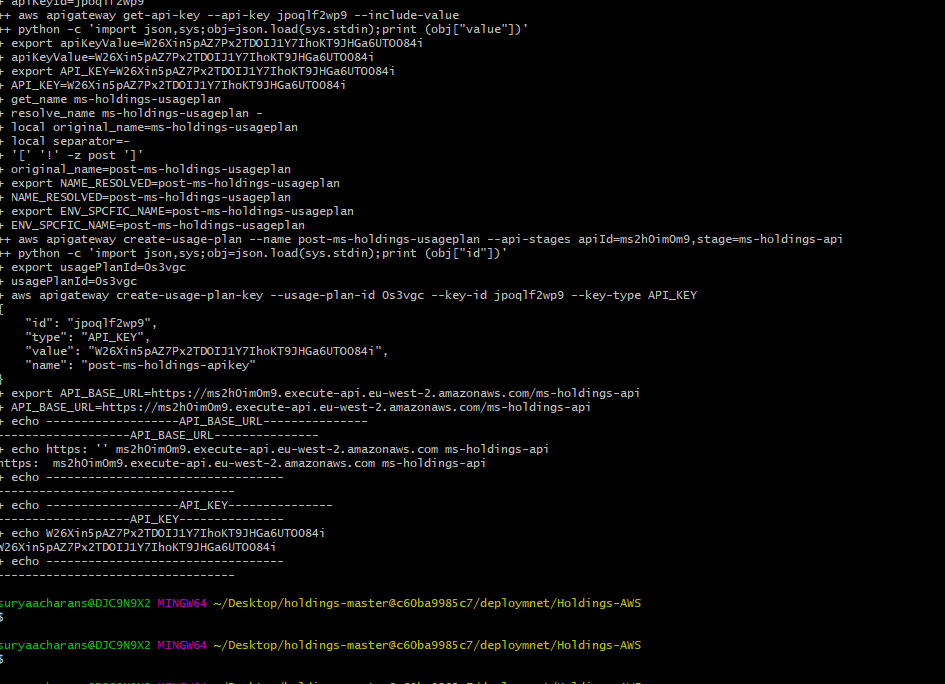
Once the installation is done, you will get the Base URL for testing API. The master key token & API host URL can be retrieved from the deployed bash, navigating as highlighted:
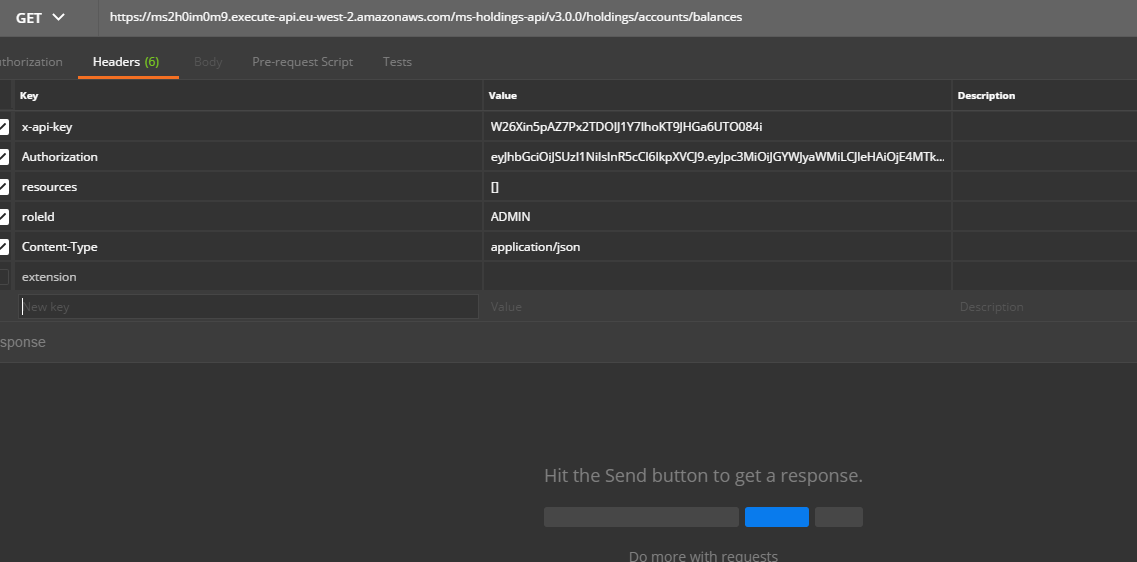
Further more, this can be hit from the Postman too. The x-api-key & the host API URL is taken from the last run gitbash window.
PostgreSQL
Following is the installation steps for PostgreSQL DB:
- Copy and unzip the generated zip file (from target folder) in the installation directory.
- In AWS command line, navigate to the installation directory.
- To make the Microservice up and running, execute install-aws-postgresql.sh shell file.
- In case of a multiple instance deployment, provide a unique value to
DEPLOYMENT_ENVIRONMENTproperty ininstall-aws.shfile, which creates API Gateway, Lambda Function, DB Instances, S3 Bucket, Kinesis.
If there is no value inDEPLOYMENT_ENVIRONMENTproperty, then default value of API Gateway, Lambda Function, DB Instances, S3 Bucket, Kinesis are considered. - To set up the AWS environment, modify the region information in the install-aws.sh script specific to your installation.
- region us-west-2
- event-source-arn arn:aws:kinesis:us-west-2
- Uri arn:aws:apigateway:us-west-2:lambda:path/2015-03-31/functions/arn:aws:lambda:us-west-2
- Post-installation, login to the AWS portal and verify if the following are properly created:
- Lambda functions
- API Gateway
- Database
- S3 Bucket
- Kinesis
- Lambda functions
Once the installation is done, you will get the Base URL for testing API. The master key token & API host URL can be retrieved from the deployed bash, navigating as highlighted:
Furthermore, this can be hit from the Postman too. The x-api-key & the host API URL is taken from the last run gitbash window.
In this topic