Holdings Data Ingestion
Ingestion is a feature in Microservices that is used to ingest data from the external system into a Microservice.
In Holdings Microservice, there are three types of ingestion:
- Internal Ingestion: Used to Ingest data from Transact System.
- External Ingestion (Generic) - Generic: Used to ingest the data from External System. For example, SaltEdge or Plaid using Account Aggregation Microservices.
- External Ingestion (Processors) - Processors: Used to ingest single or bulk data that comes in a particular payload via CSV Debulking or through Event Store and Adapter Microservices.
For more information on the data ingestion types in Holdings Microservice, refer to the following:
Retrieving Jolt Specifications
Jolt is a JSON-to-JSON transformation tool that allows users to transform JSON data using a series of declarative transformations. It is commonly used in scenarios where the JSON data must be converted or reshaped, especially in environments where JSON is used as a data interchange format, like in APIs or ETL processes. Jolt transformations work by applying a sequence of operations defined in a Jolt specification. These operations include renaming fields, modifying the structure, and even merging or splitting data.
Holdings Microservice must be enabled to retrieve the JOLT specs from the Generic Config MS.
- To enable HMS, define the following properties in the HMS Ingester component.
Property
Description
Configuration Path
temn.config.service.base.path
Defines the base path of Generic Config MS.
http://{ip}:{port}/ms-genericconfig-api/
temn.config.service.resource.path
Defines the resource path of Generic Config MS.
api/v2.0.0/system/configurationGroups/{groupId}/configuration/{configName}
This functionality can be enabled across all the stacks (Azure , AWS , and K8).
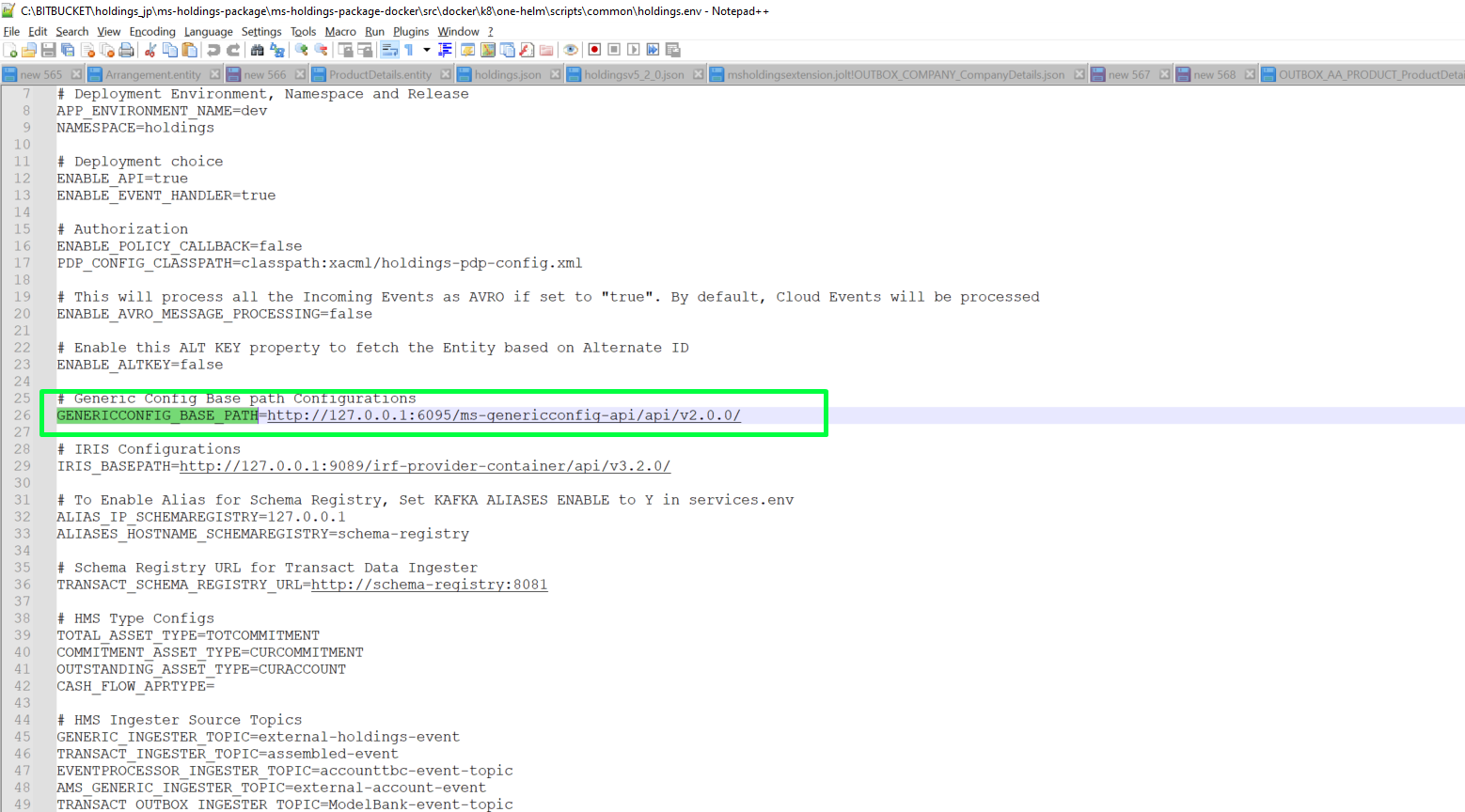
- To configure K8, add the base path of the Generic Config MS to GENERICCONFIG_BASE_PATH in the holdings.env file as shown below.
- Execute the below command to configure ACA.
export GENERICCONFIG_HOST_URL=http://{ip}:{port}/ms-genericconfig-api/
 Deploying Jolt Specifications
This section explains how to deploy the Jolt specifications through Generic Config MS during Manual Deployment. To upload the Jolt configurations corresponding to all the events and the events in Holdings MS, execute the following Postman collections before processing the initial load.
In this topic